
Once a bill is paid, Swipey generates a payment receipt you can download directly from the dashboard — useful for record-keeping, reimbursements, or sharing with your finance team.
Watch the video on how to downlod.
Steps
How to download a paid bill receipt
1
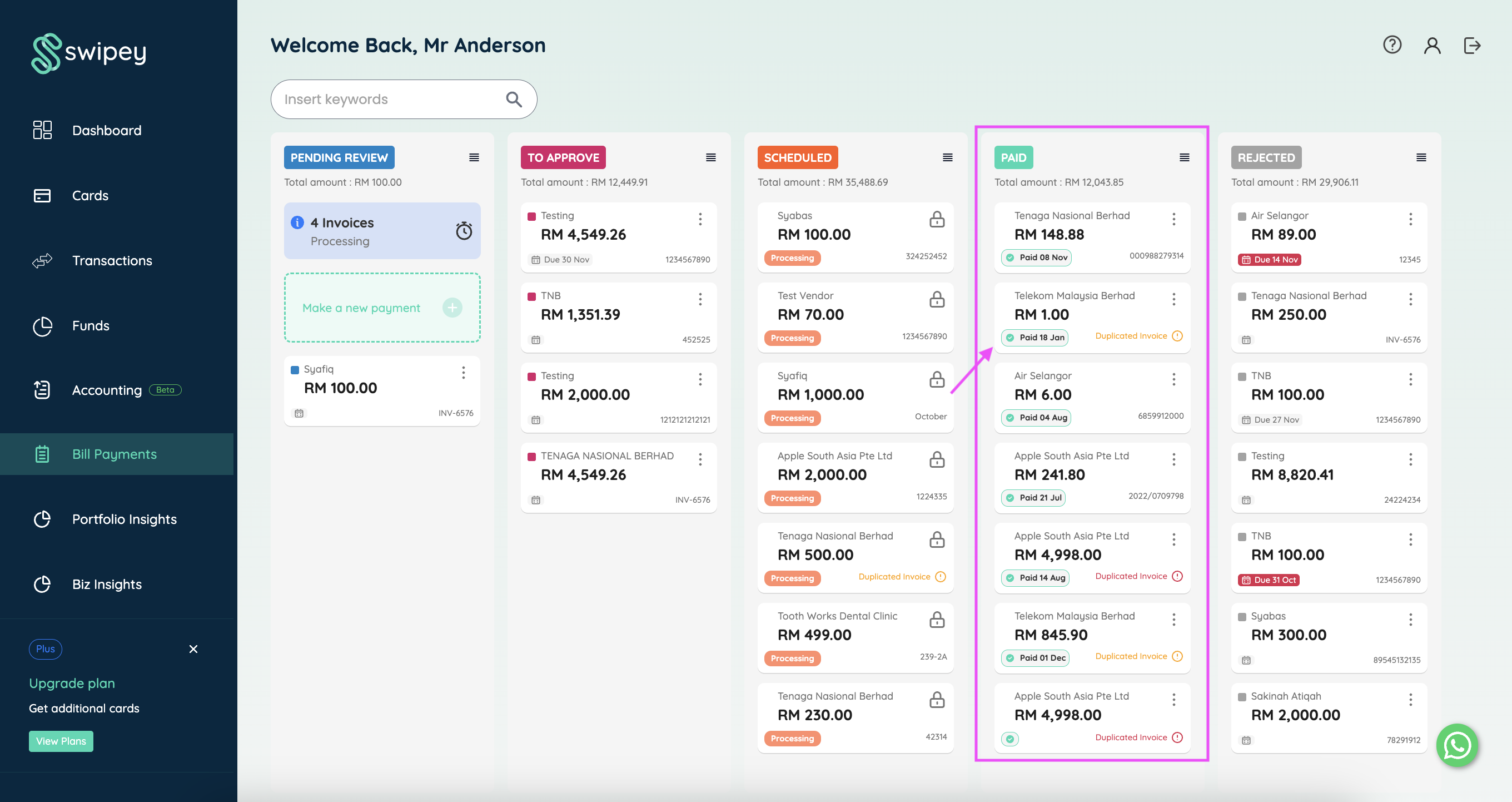
On your Swipey Dashboard, click on Payouts. Find and click on the bill that has been paid — it will be in the Paid column.
2
Once the bill panel opens, click Download Receipt. The receipt will be downloaded to your device.
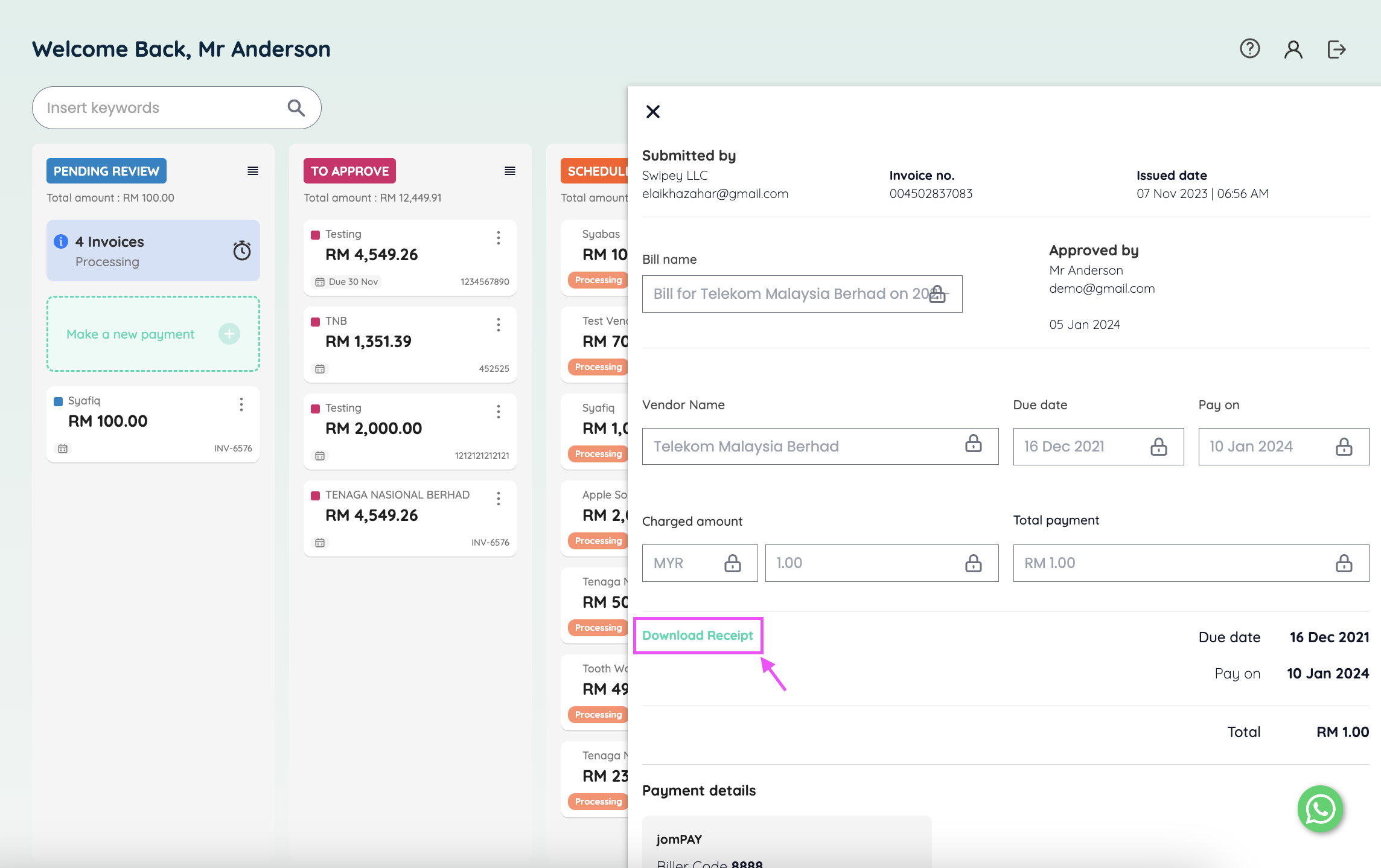
🎉 That's it! The receipt is saved to your device and ready to share or file.
Things to Know
1Receipts are only available for bills in the Paid stage. Bills older than 30 days move to the Fund tab — you can still find and download them from there
2The receipt includes the payment amount, date, vendor details, and transaction reference.
3Want vendors to receive receipts automatically instead? Set up automatic vendor receipts →
Related Articles