
Save yourself the manual follow-up. When a vendor's email is saved in Swipey and the Share Receipt toggle is on, they'll automatically receive a payment receipt by email every time their bill is paid.
💡 This is especially useful for recurring vendors — set it up once and receipts are sent automatically on every future payment.
Steps
How to set up automatic vendor receipts
1
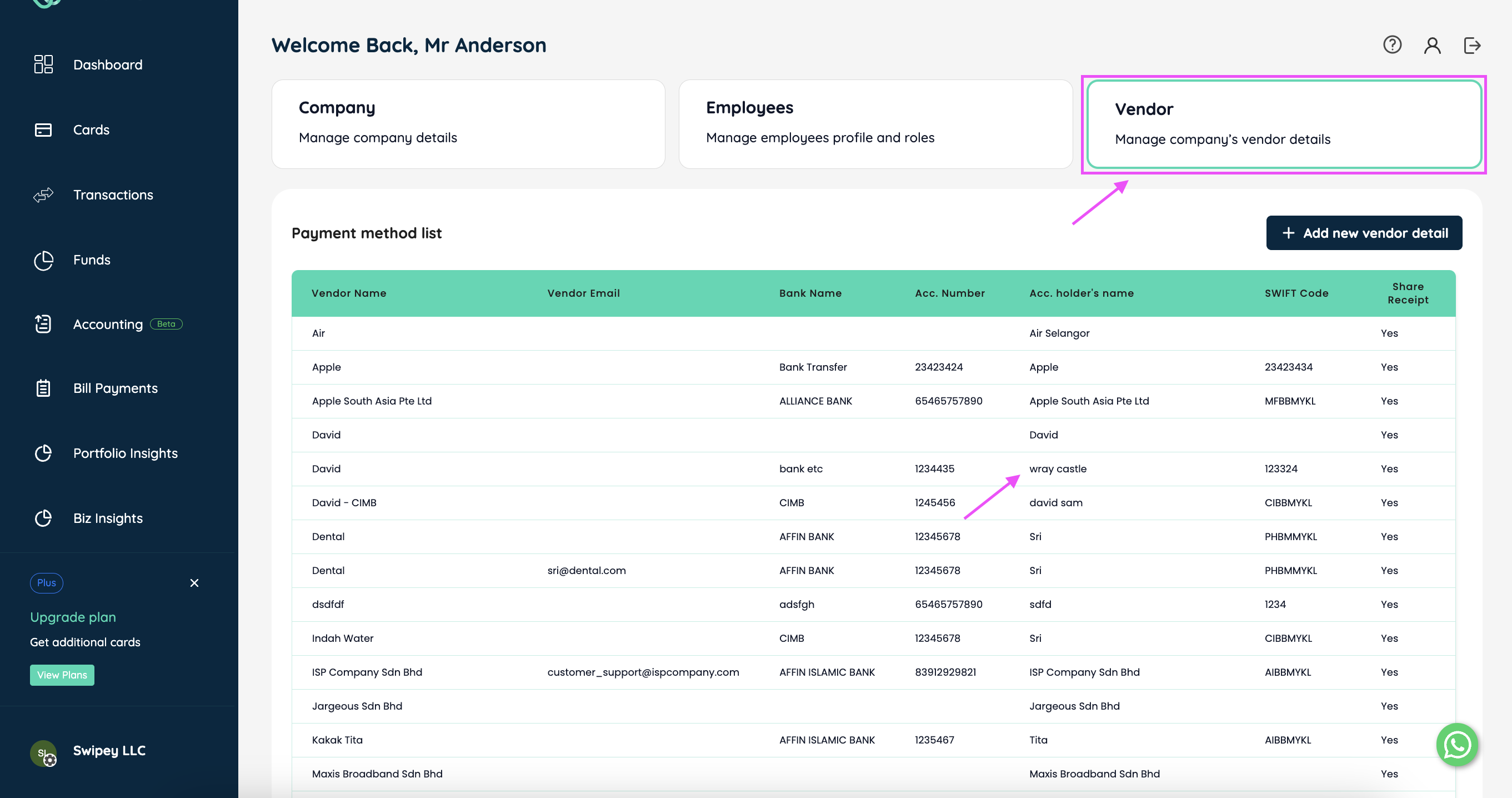
On your Swipey Dashboard, go to the Company tab (bottom left) and click Vendor. Select the vendor you want to update from your Vendor List.
2
In the vendor panel, do all three of the following:
✓ Enter the vendor's email address
✓ Toggle Share Receipt on
✓ Click Update Vendor
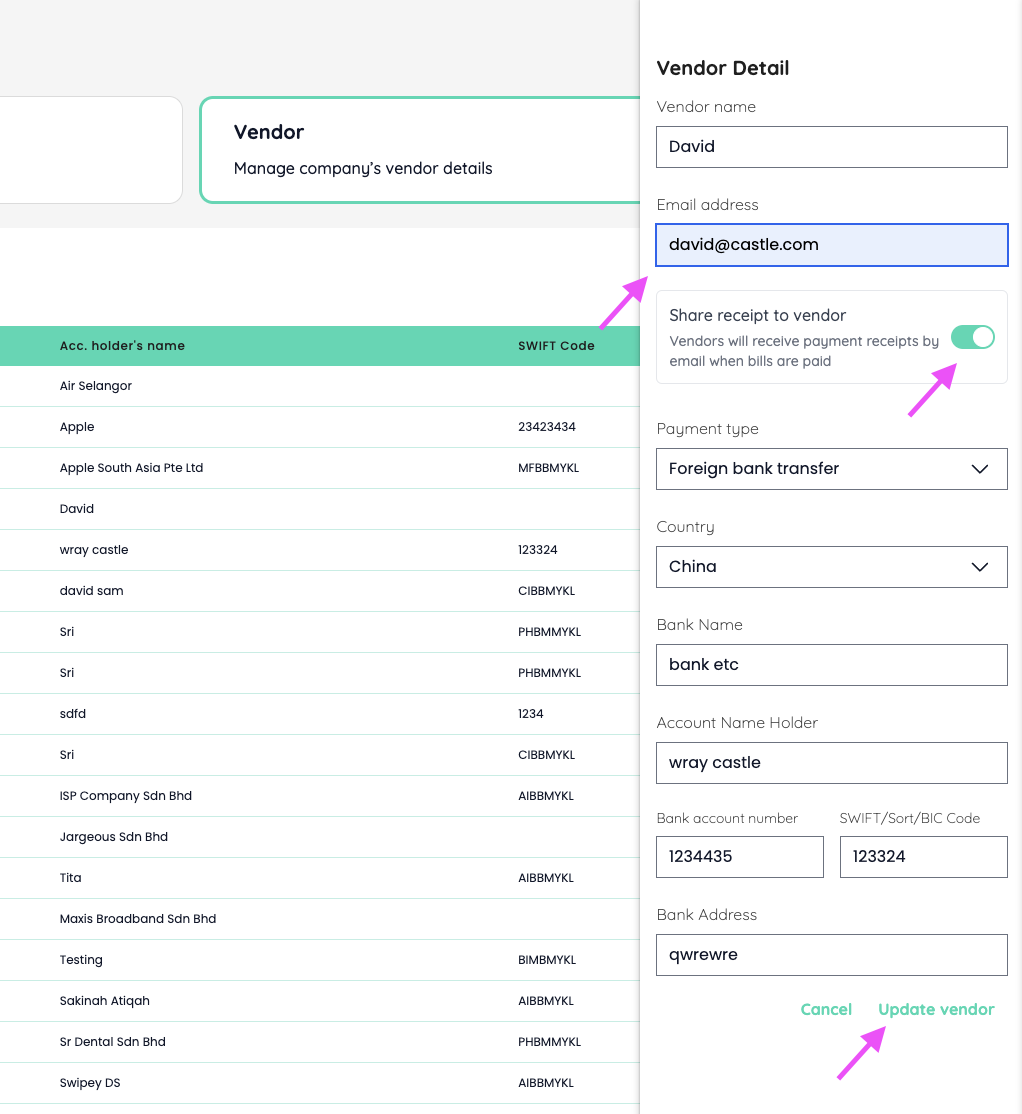
🎉 Done! This vendor will now automatically receive a payment receipt by email every time a bill is paid.
Things to Know
1To update a vendor's email or turn off receipt sharing, follow the same steps and click Update Vendor to save.
2Receipts are only sent after a bill reaches the Paid stage — not when scheduled.
3Prefer to download receipts yourself instead? Download paid bill receipts →
Related Articles