
Getting Started Takes Less Than 10 Minutes
Signing up to Swipey is done online. Once your account is verified, you'll have full access to your Admin Dashboard and can start issuing cards straight away.
What You'll Need Before You Start
Have these ready before you begin — it'll make the process faster:
For your company | For your personal identity verification (eKYC) |
Business registration number (SSM or equivalent) This helps us verify your company is legitimate and active. | Malaysian IC (MyKad) or passport Required by Bank Negara Malaysia for all financial accounts. This is a one-time check to confirm your identity for the issuance of card. |
Company and director's information Director will receive a document to sign digitally before your account can be activated. | A selfie Taken in the Swipey mobile app to match against your ID. Make sure you're in a well-lit spot. |
Why do we ask for this? Swipey is regulated by Bank Negara Malaysia. All financial platforms operating in Malaysia are legally required to verify the identity of their users before allowing any transactions. Your information is securely stored and never shared with third parties.
Sign Up in Just 4 Steps
Step 1: Complete the sign-up form
Go to swipey.co and click Register. The form takes about 2 minutes and covers:
- Your company name, location, and registration status
- Your business type, industry, and team size
- What you do at the company and how long the company has been operating
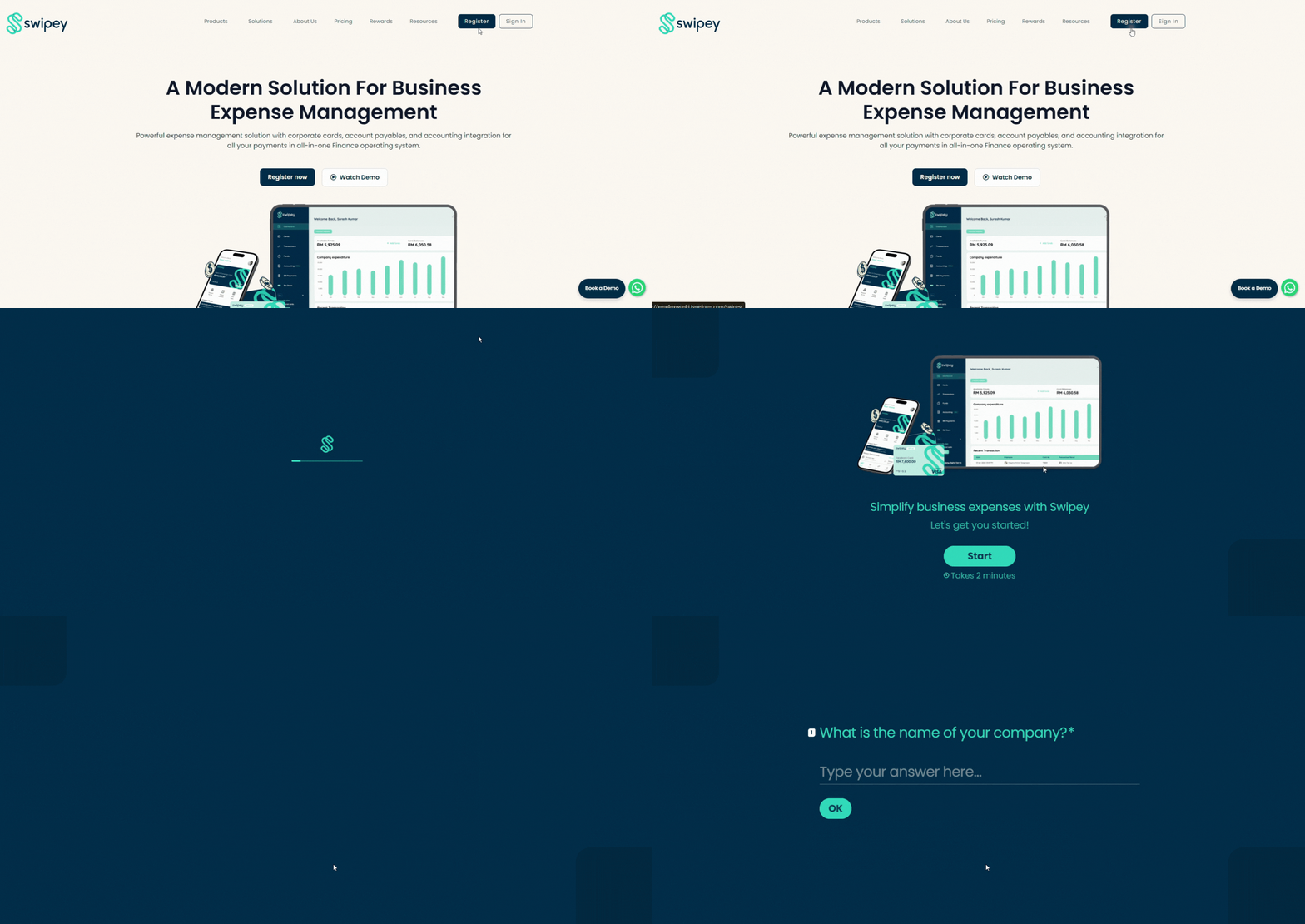
Note: Swipey is designed for businesses and teams. If your application doesn't meet the requirements, you'll be notified at the end of the form and our team will reach out if there's a better fit down the road.
Step 2: Director verification
During the form, you'll be asked whether you are a registered director of the company.
- If yes: your details are already captured from the earlier steps
- If no: you'll need to provide your director's name and email address. Swipey will contact your director directly to request their consent and e-signature on your behalf. This is required before your account can be opened.
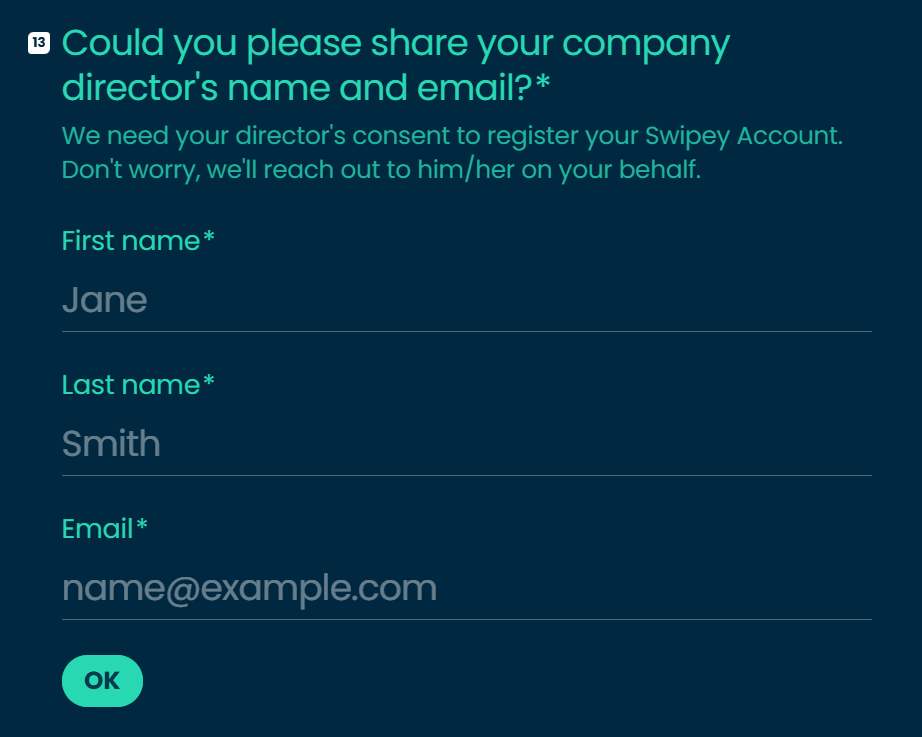
Why do we need this? As a regulated financial platform under Bank Negara Malaysia, Swipey is required to obtain authorisation from a company director before opening any business account. This is a one-time step and is completed fully online.
Step 3: Nominate your account Admin
You'll also be asked whether you will be the one managing the Swipey account.
- If yes: you will be set up as the Admin, with full access to the dashboard, cards, funds, and team management
- If no: you'll need to provide the details of the person who will be managing the account (name, phone number, and email). That person will be set up as the Admin. You will be given Employee access only
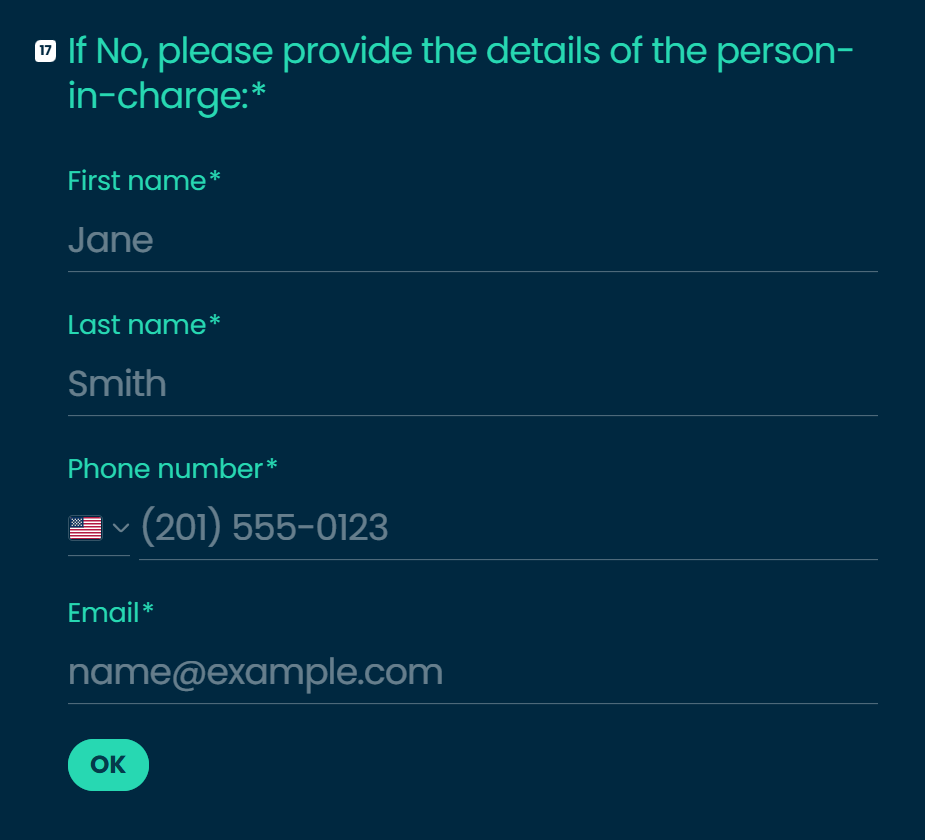
The account must always have at least one Admin. This can be the director, a finance manager, or whoever will be responsible for day-to-day management of Swipey.
Step 4: Upload your company documents
After submitting the form, check your email for next steps. You will need to:
- Upload your company SSM documents (e.g. Section 14) via the link in the email
- Provide director consent via e-signature — this will be sent to your director once Step 1 is completed
Once everything is verified, your account will be activated and you'll receive a confirmation email.
What Next?
Once verified, you'll have access to:
- Your Admin Dashboard on web at app.swipey.co
- The Swipey mobile app
- Your first virtual card (available on all plans including Freemium).
Your next step is to invite your team to Swipey. You can also assign a card to yourself.
Need Help?
If you’re unsure or want someone to guide you through it, we’re here.
💬 Chat with us on WhatsApp
📞 Book a 30 min session and we’ll guide you through using Swipey
Common Questions
How long does verification take?
Usually within 3-5 business day. If it's taking longer, reach out to us on WhatsApp and we'll check for you.
What if my eKYC is rejected?
Swipey will notify you by email with the reason. Common causes are blurry ID photos or a name mismatch. You can resubmit straight away, just make sure your name matches exactly as it appears on your MyKad or passport.
Can I sign up as an individual, or do I need a registered company?
Swipey is available for registered businesses, SMEs and startups only.
Which plan should I start on?
Start on Freemium, it's free and gives you immediate access to a virtual card and the full dashboard. You can upgrade to Growth or Plus anytime as your team grows. See plan comparison →
I signed up but haven't received a verification email. What do I do?
Check your spam or junk folder first. If it's not there, reach out to us on WhatsApp and we'll sort it out.