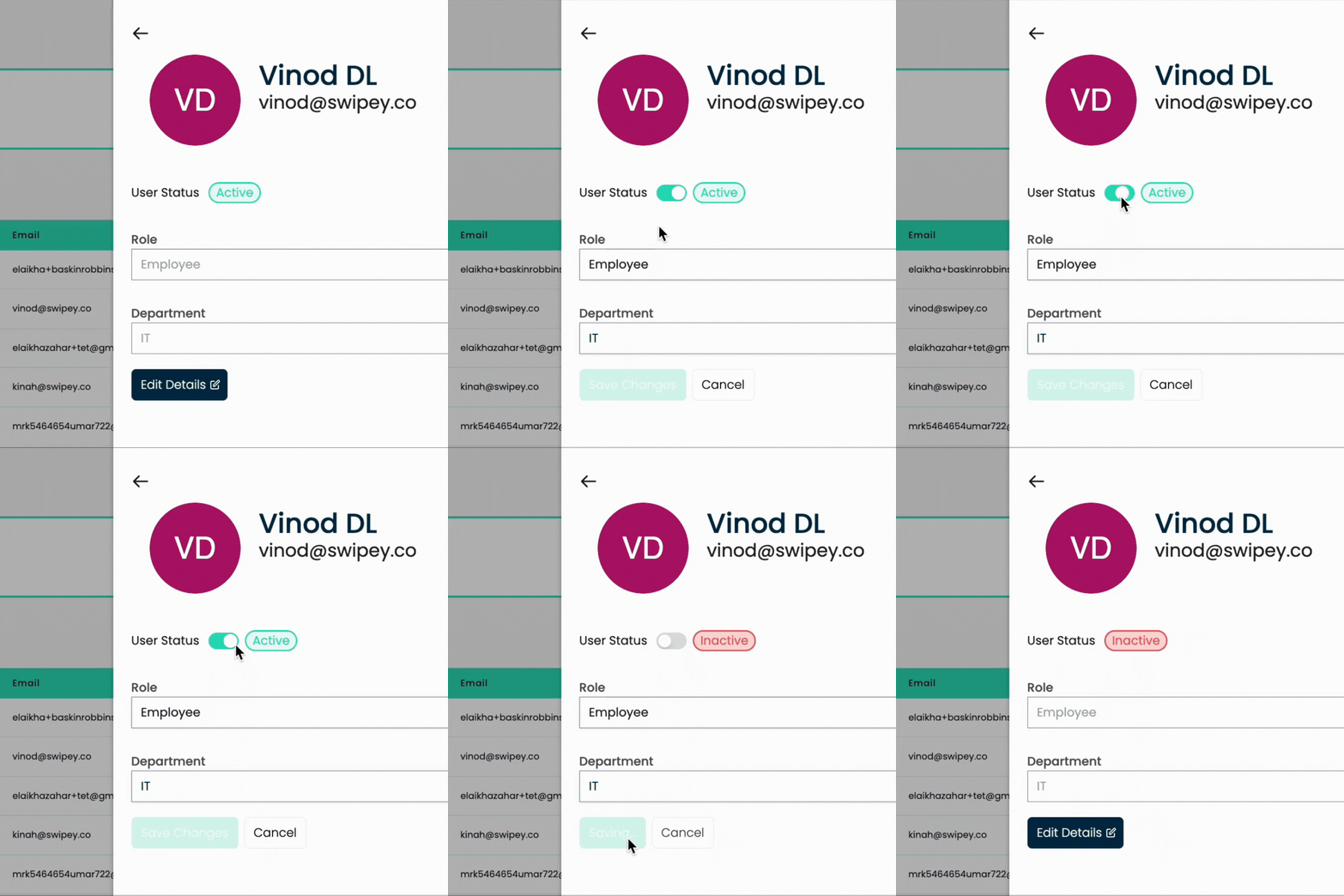
Admins can now update a user's role, department and status from the Swipey Dashboard.
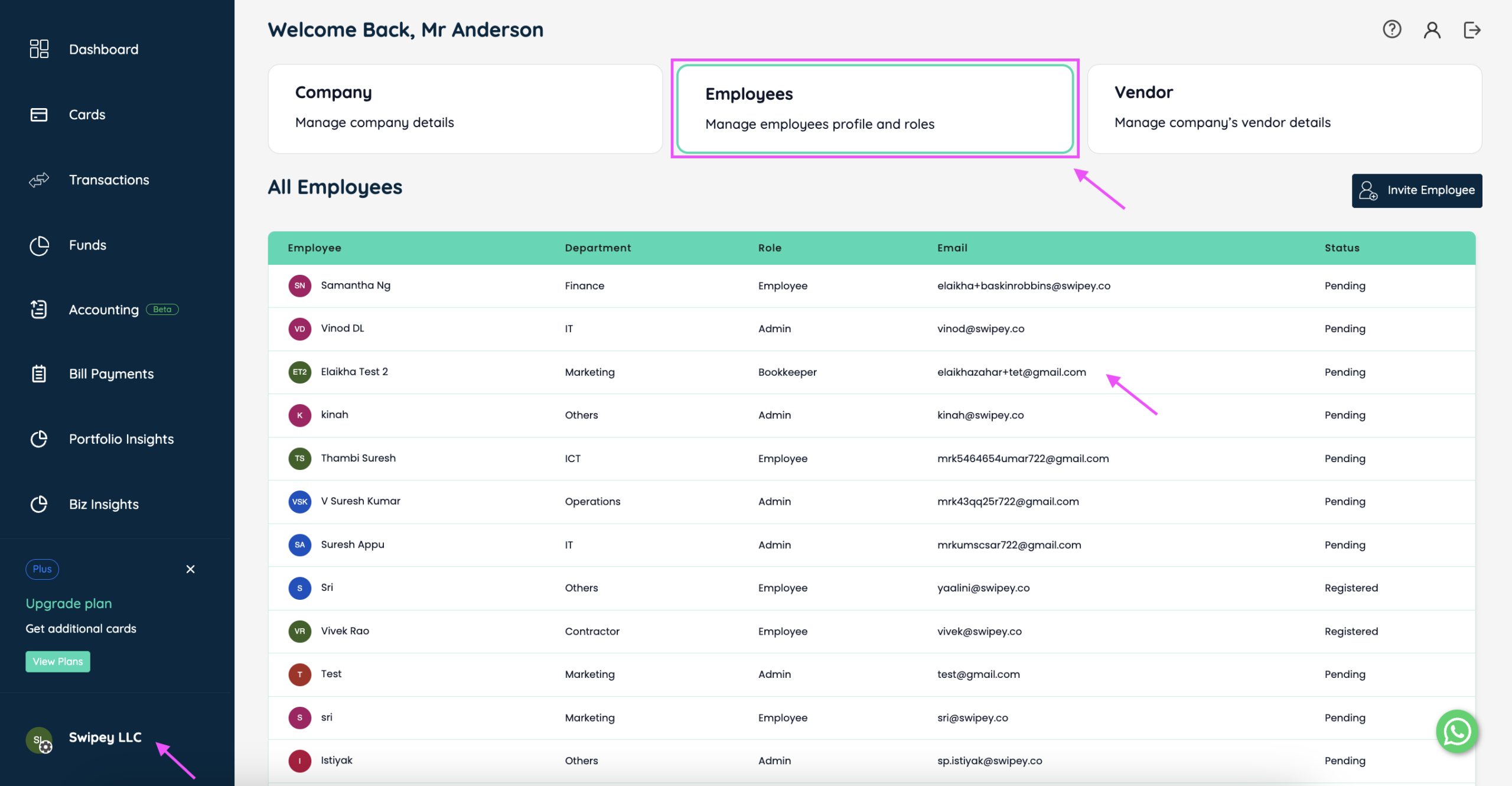
On the Swipey Dashboard, click on company tab (bottom left), and click on Employee tab. Click on the employee's name to update the details.
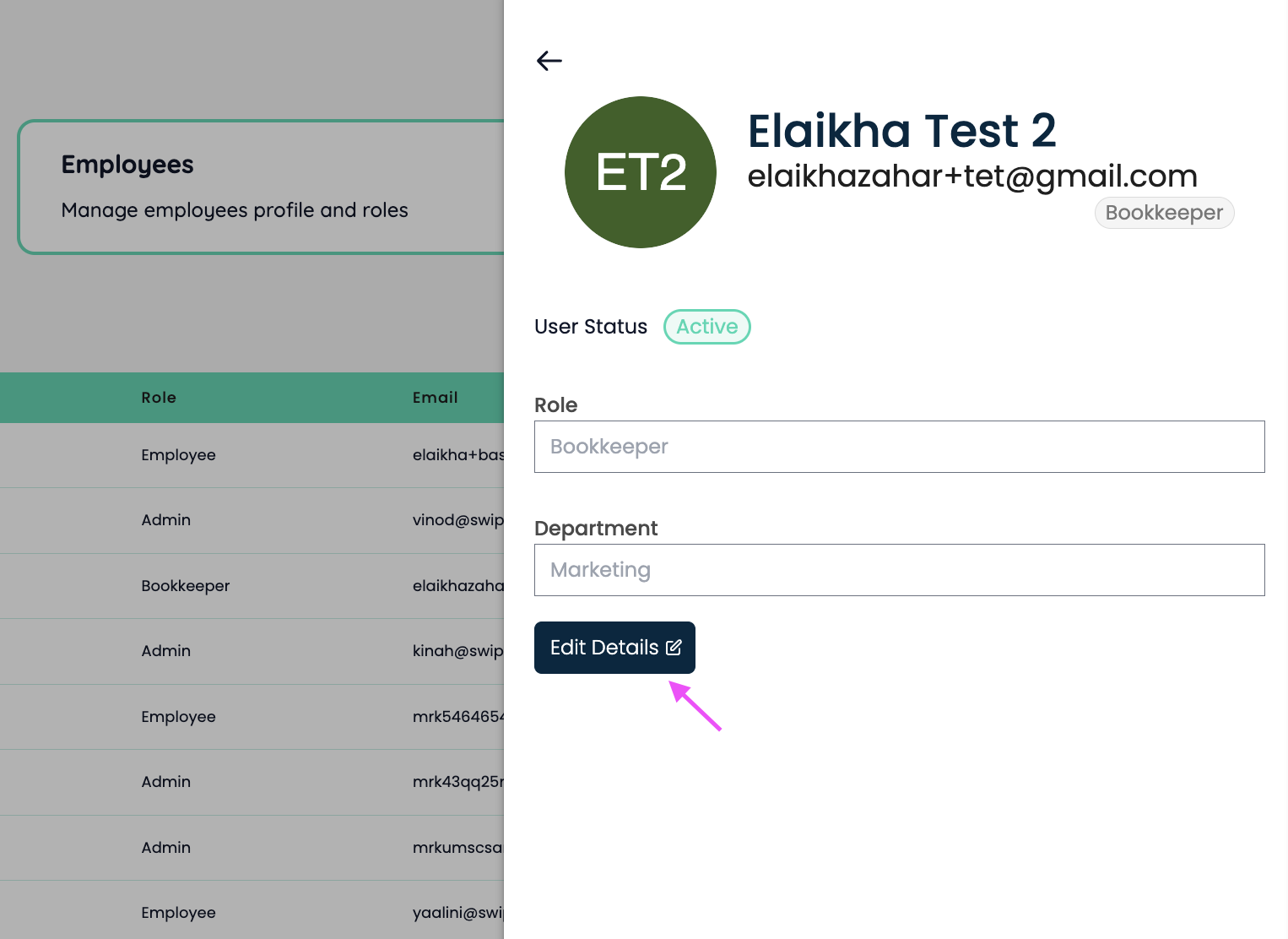
Now, once the panel opens, click on Edit Details, update the necessary fields and click on save changes! :)
To edit user status, toggle the user status.