
If your business pays Google, Meta, AWS or OpenAI every month, this one’s for you. Your Corporate Card now reconciles overseas spend to the sen, and custom fields let you tag every ringgit to the client or project it belongs to. Fewer declines, cleaner books, and reports you can send straight to a client.
🌏 Your Corporate Card, built for overseas spend
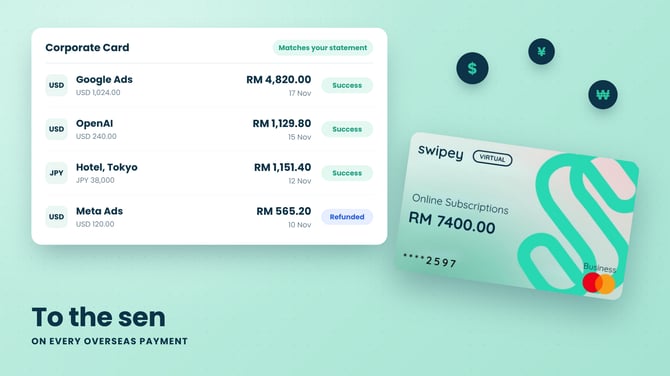
You know the routine. A prepaid card gets declined at Meta or OpenAI, someone pays on their personal card, and finance spends the next month chasing the claim.
The Swipey Corporate Card is built for exactly this spend. It gets accepted where prepaid cards get turned away, sits inside the spend management you already use, and earns up to 1.1% cashback. This month it gets even better for paying overseas:
- Amounts match to the sen in every currency, including JPY and KRW
- Reversals find their original payment, even if the exchange rate moved in between
- Refunds show as refunded, never stuck on pending
What your merchant charged is exactly what lands in Swipey. Your month end gets shorter, and nobody’s personal card is involved.
Still running ads or subscriptions on a prepaid card? Move them over in minutes.
🏷️ Know which client every ringgit belongs to
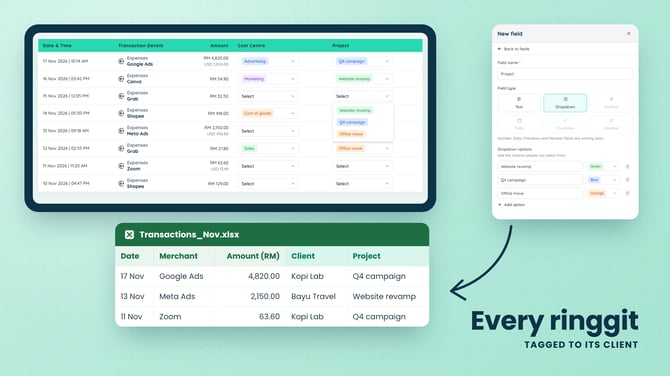
Running Meta and Google Ads for five clients from one account? Until now, splitting that spend meant a side spreadsheet that was always a week behind.
Now you can add your own fields to every transaction. Tag spend by Client, Project or Department with a dropdown your team picks from, or use a text field for PO numbers and campaign names.
- Rebill clients in minutes. Filter by client, export, send
- Budget reviews without the detective work. Every transaction already says where it belongs
- One export, ready to use. Every field comes through as its own column in Excel
📱 Available on the web dashboard now, with the Swipey app coming soon. Running more than one entity? Each one gets its own fields. See Multi-Entity Managemt.
🧾 Pay suppliers without fixing their details first
Swipey now reads bank names off your invoices more accurately, Malaysian banks included, so most bills are ready to pay the moment they arrive. To Pay This Week shows the right total for planning cash flow. And when the auditor asks for a document three months later, you can add it to a bill even after it’s paid.
📱 App 3.1.6: works when you need it
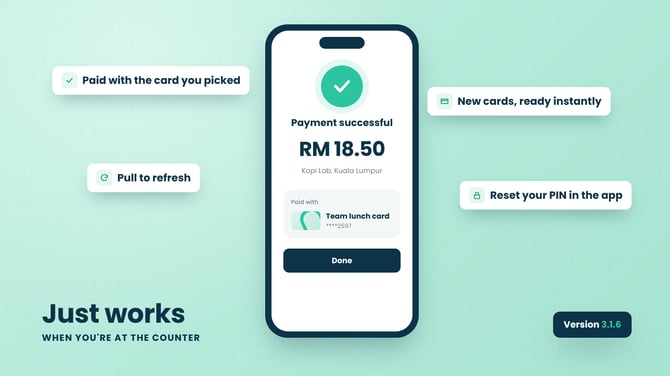
- QR payments always go out from the card you picked
- No more misleading errors after a payment that went through
- New cards show up instantly on iOS
- Reset your Travel Card PIN in the app. Here’s how
- Pull down to refresh on Home and Cards
Update from the App Store or Google Play
⚙️ Also fixed
- Excel statements no longer double up Master Account charges
- Two cards can share the same name
- Card issuance retries more reliably
- A new entity waiting on verification no longer holds up the rest
- Returning users get through identity checks more smoothly