
Export transactions from the Admin Dashboard for your end-of-month finance recon.
Below are some glossaries for your reference:
Transaction Type
Fund transfer (Debit) = Top-ups to card
Spending = Card Spend
Refund = Transaction refunded back to the card
Withdrawal = ATM withdrawals
Status
Settled = Transaction settled between merchant and VISA
Approved = Transaction made by the USER, not settled yet between merchant and VISA
Voided = Transaction cancelled by user/merchant
Declined = Transaction rejected by the merchant
The below steps show you how to export transactions from the Admin Dashboard.
Step 1
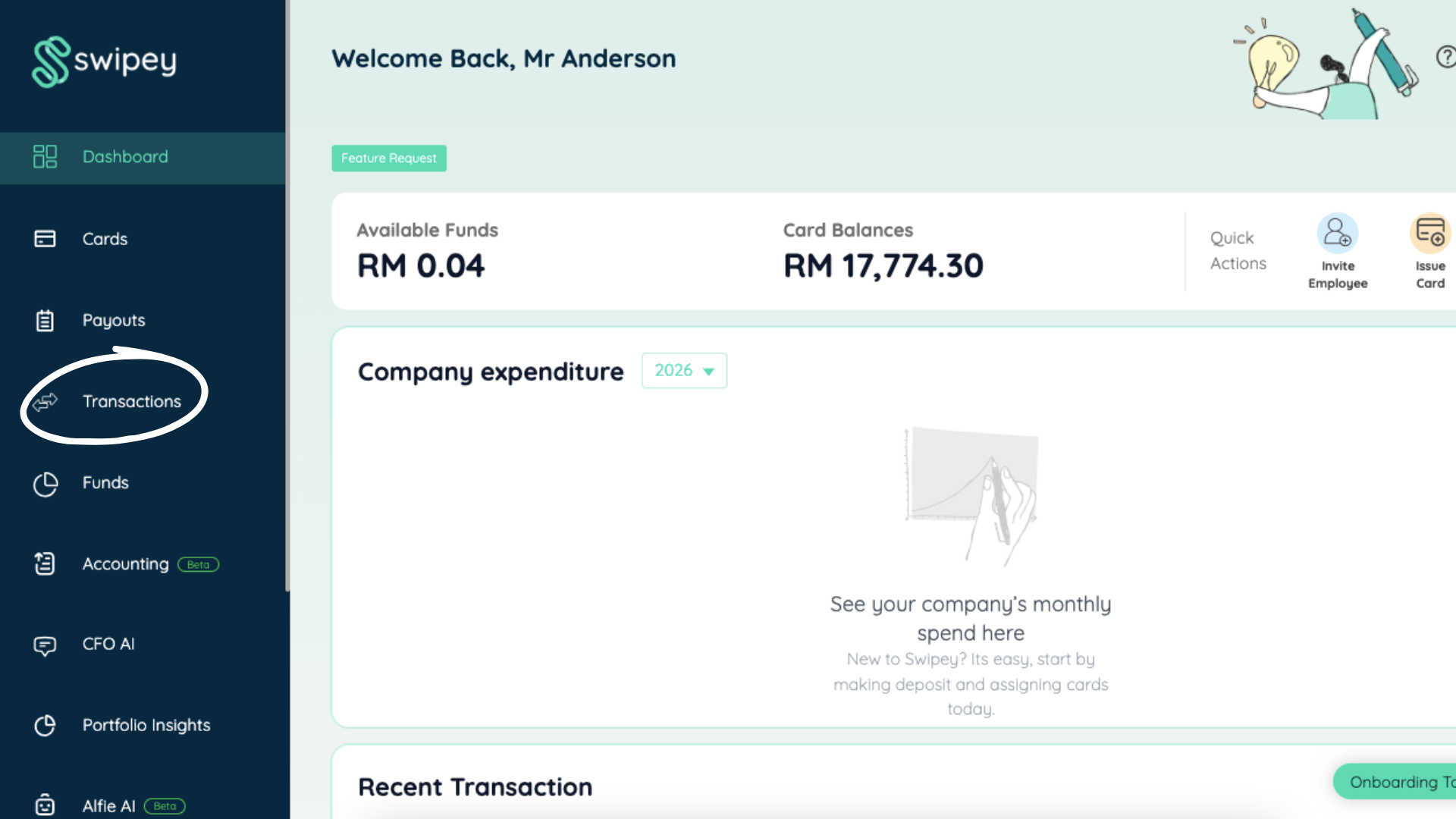
Login to the Admin Dashboard. Click into Transactions.
Step 2
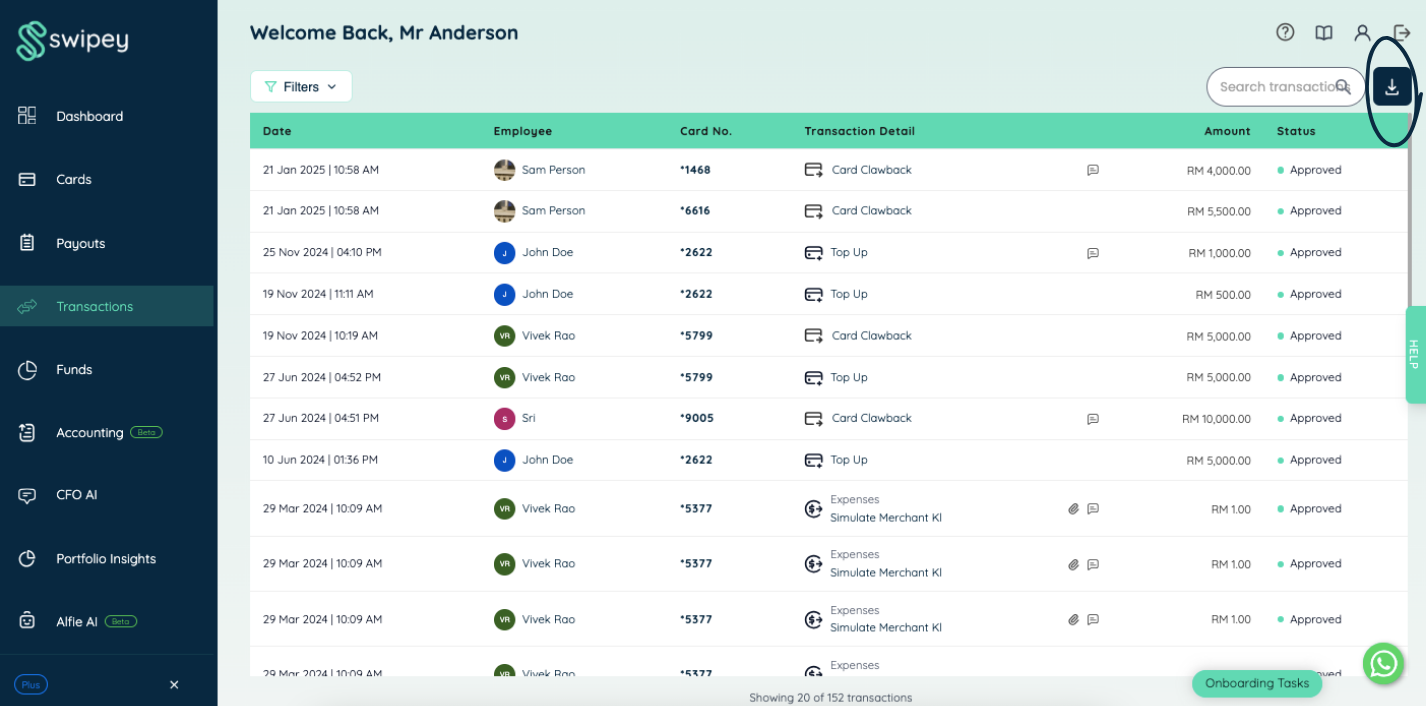
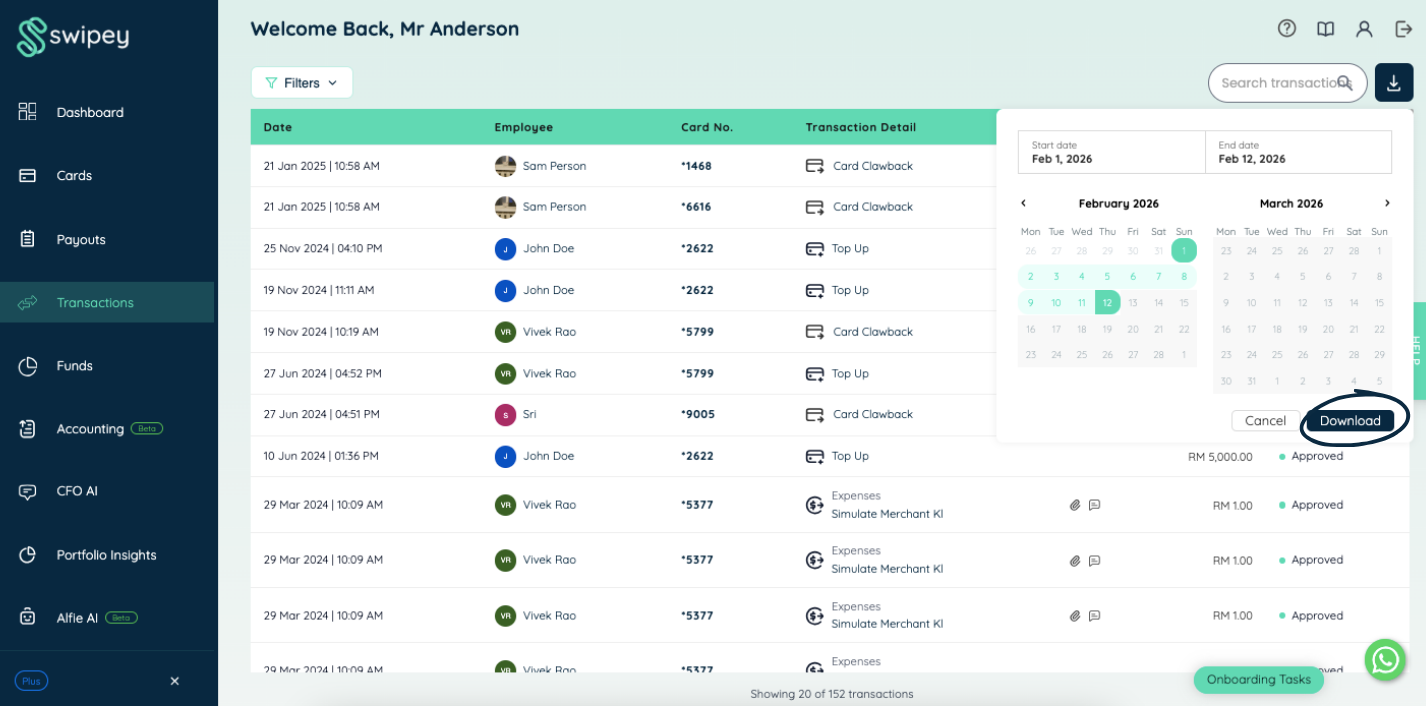
Locate the download button and select the date range desired.
Step 3
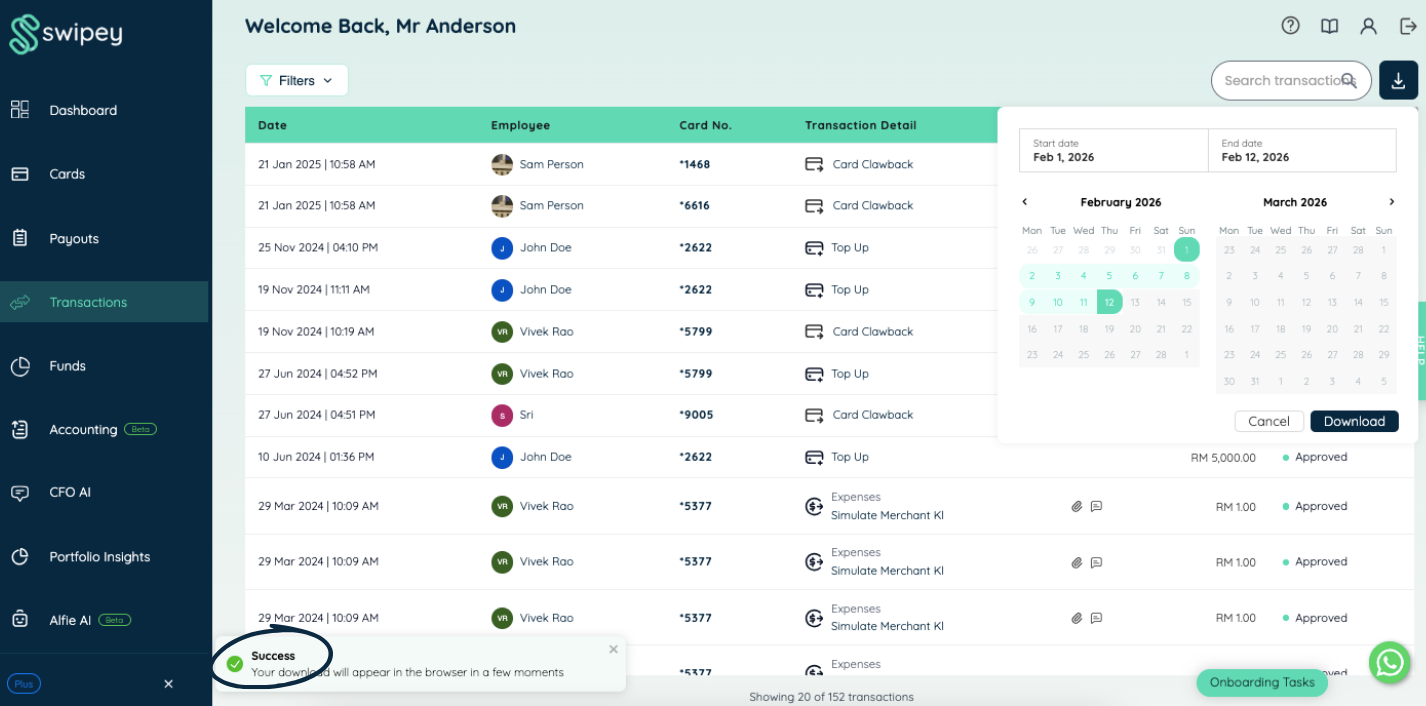
You're done! The file downloaded will be in a Microsoft Excel format.
Need an official PDF statement? You got it!
Click on Funds tab > Advance Fund Controls
This is only available for May 2023 onwards.
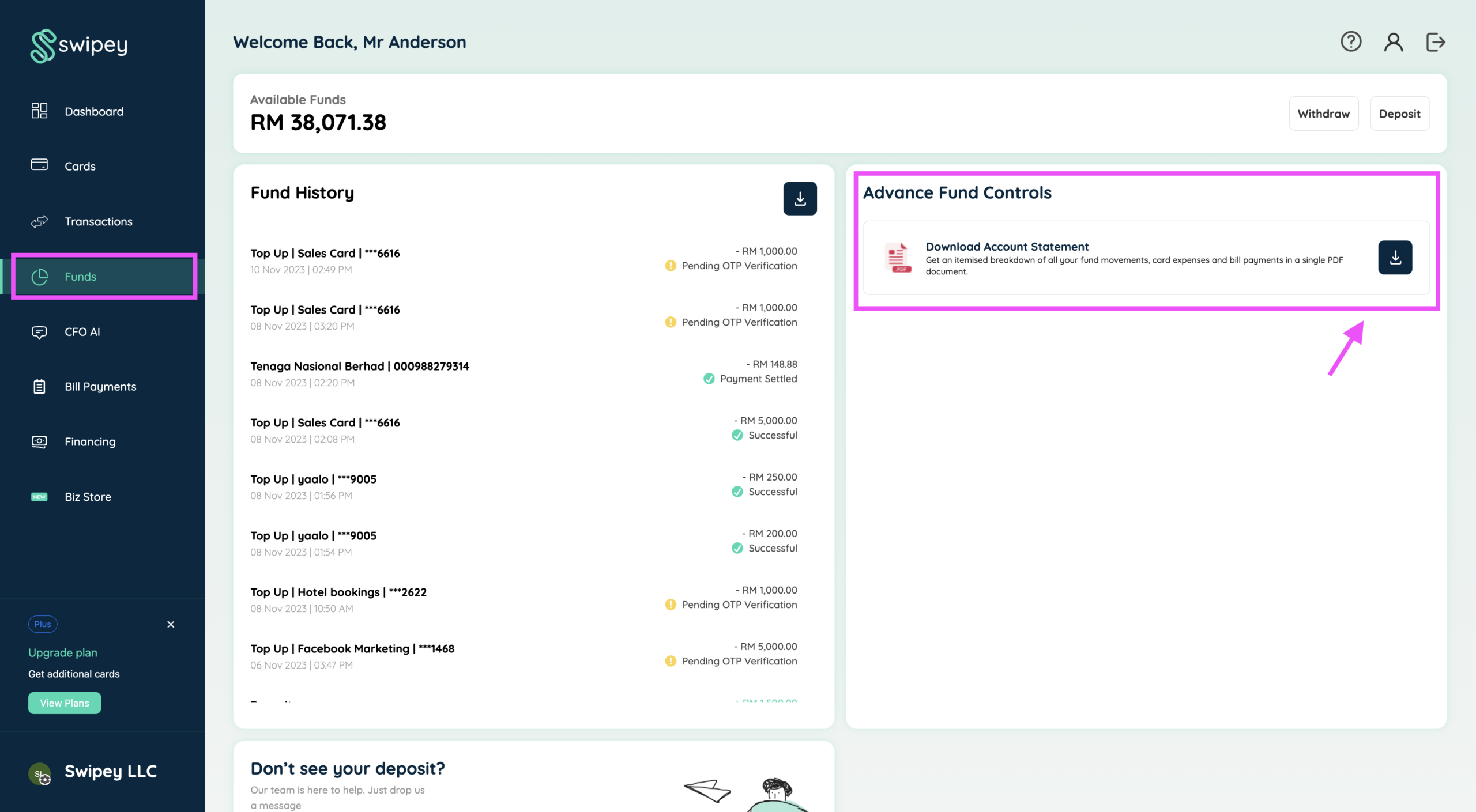
Note: Official PDF statements are only available on Growth and Plus plan.