
Follow these simple steps to download your master account statement from Swipey:
1
Login to your Swipey Dashboard
Go to app.swipey.co/dashboard and sign in with your credentials (psst! only for Admin and Bookkeeper)
2
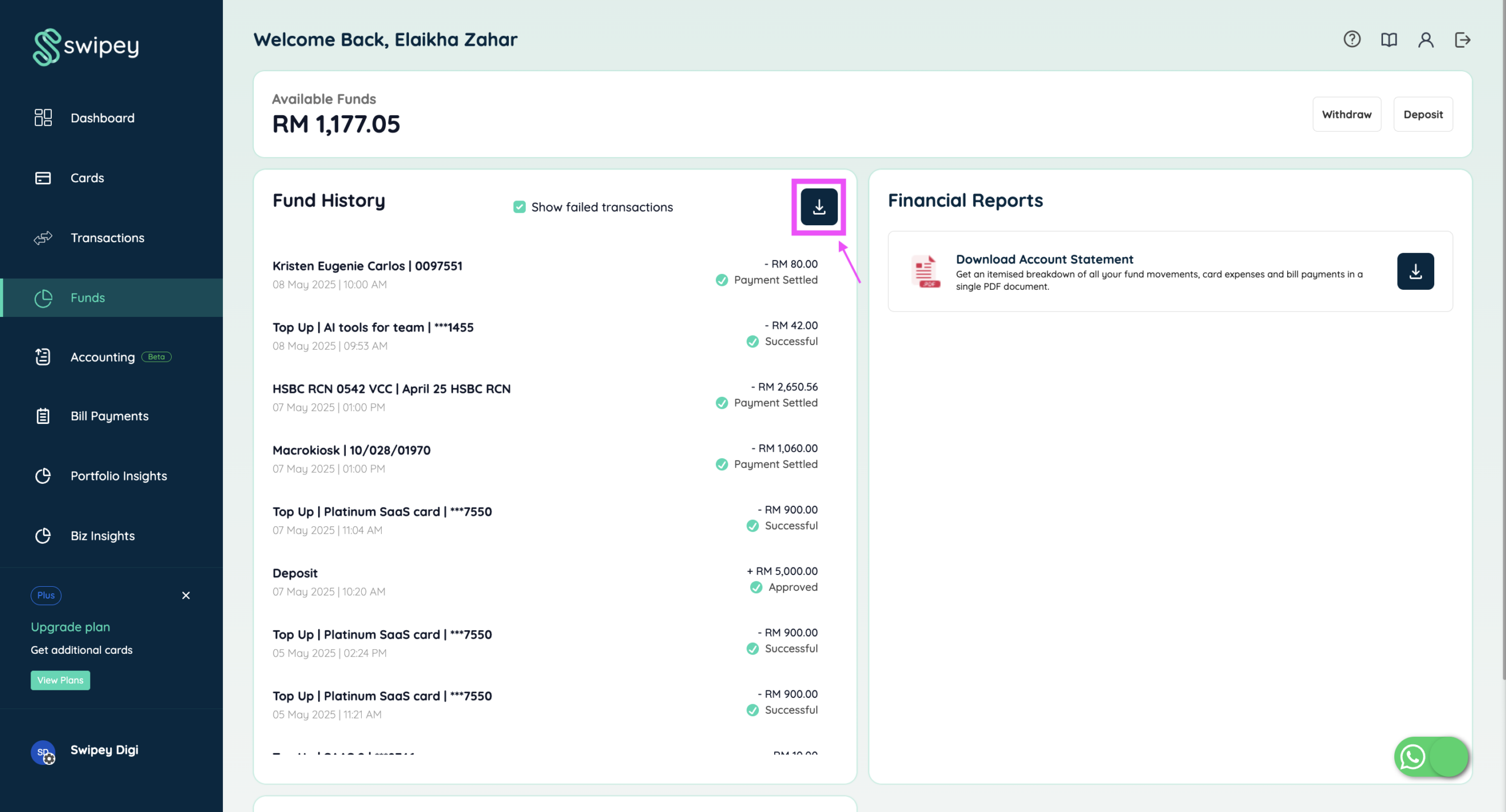
Go to the "Funds" Section
Navigate to the Funds tab in the left-hand menu.
3
Export from "Funds History"
Scroll down and find the Funds History section. Click the Export button.
4
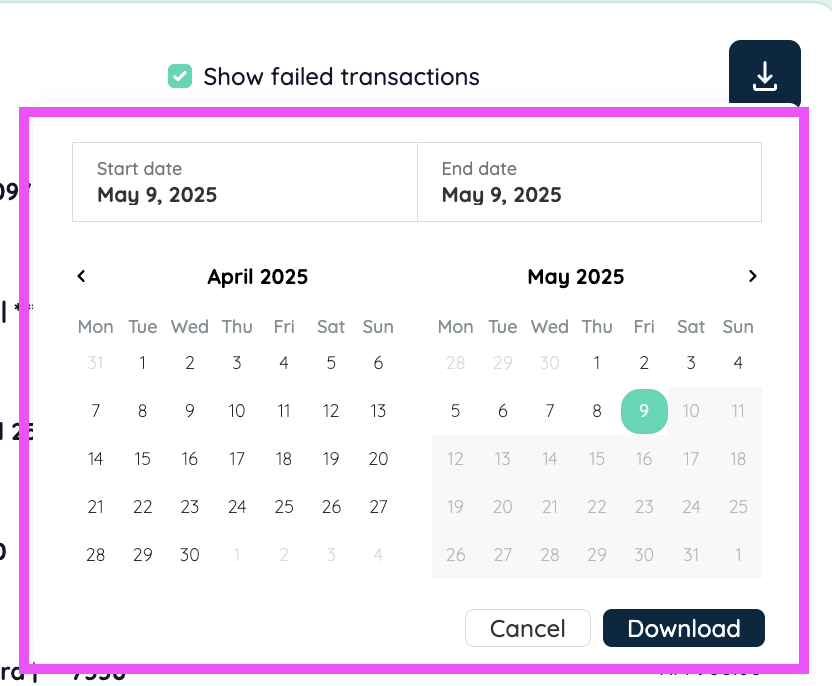
Choose Date Range & Download
Select your desired date range and click Download.
6
File Format
An Excel (.xlsx) file will be downloaded to your device. It includes format as below.

Psst! Receipt link is clickable and receipt is downloadable for your finance admin/auditors 😉