
When extending an invitation to a new employee to join Swipey, it's crucial to select the appropriate role for them. Take note of the differences in roles outlined below.
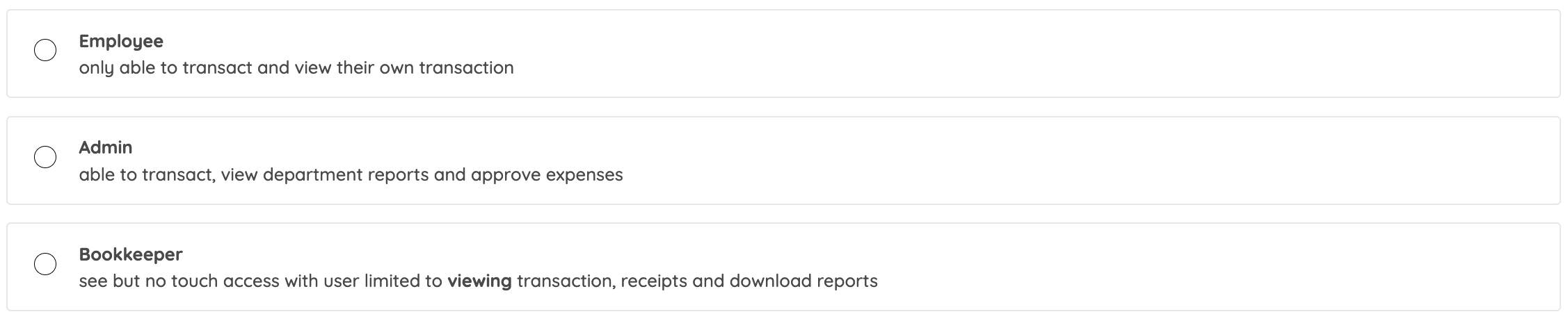
Screenshot of the admin web dashboard
| Employee | Admin | Bookkeeper | |
|
Have a VISA card
|
✅
|
if assigned
|
if assigned |
|
View own transactions
|
✅
|
✅
|
✅ |
|
View all transactions
|
❌
|
✅
|
✅ |
|
Manage funds & top-ups
|
❌
|
✅
|
❌ |
|
Manage employees
|
❌
|
✅
|
❌ |
|
Access to web dashboard
|
❌
|
✅
|
✅ |
|
Approve bills and salary disbursement (Bill Payment feature)
|
❌
|
✅
|
❌ |
|
Access to mobile app
|
✅
|
if assigned a VISA card
|
if assigned a VISA card |
|
Add notes & receipts
|
✅
|
✅
|
✅ |
| View all notes & receipts | ❌ | ✅ | ✅ |
|
Download statements
|
❌
|
✅
|
✅ |
Note: Kindly ensure that you've chosen the right role for your employee, if you would like to switch roles for a Swipey user in your account, reach out to us via WhatsApp.
Here are some materials for each role -