
Effortlessly oversee your card funds and eliminate the risk of business operations slowdowns caused by insufficient funds!
Take advantage of the auto top-up feature, which enables automatic funding of your card when it reaches a predetermined low balance.
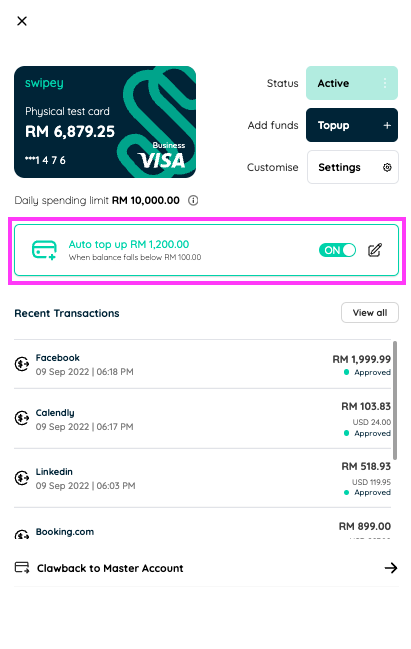
To activate auto top-up, navigate to the Cards tab, select the desired card, and open the right-hand panel. Toggle ON and click the edit icon to customize your auto top-up settings.
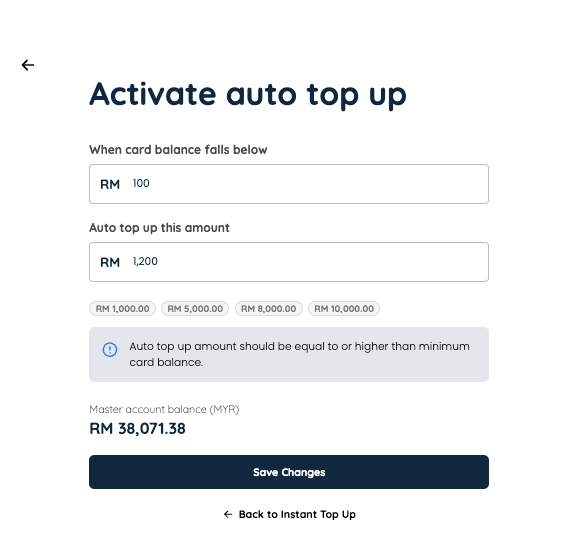
Click save when you're ready! Be sure to have sufficient funds in your master account for auto top-up to work seemlessly.
At one glance, you'll be able to see which cards are set up with auto top-up on the Cards page.

This feature is exclusive to Growth and Plus plan users.