
Getting your team to their first transaction is simpler than it sounds. There are two quick things to do — put money into Swipey, then send it to the right card. Most people are up and running in under 10 minutes.
Step 1: Add money to Swipey
Think of this as your company's wallet. Before any card can be used, funds need to be in here first. 👉 Log in to your admin dashboard. From the left menu, click Funds. At your available funds, click on the Deposit button.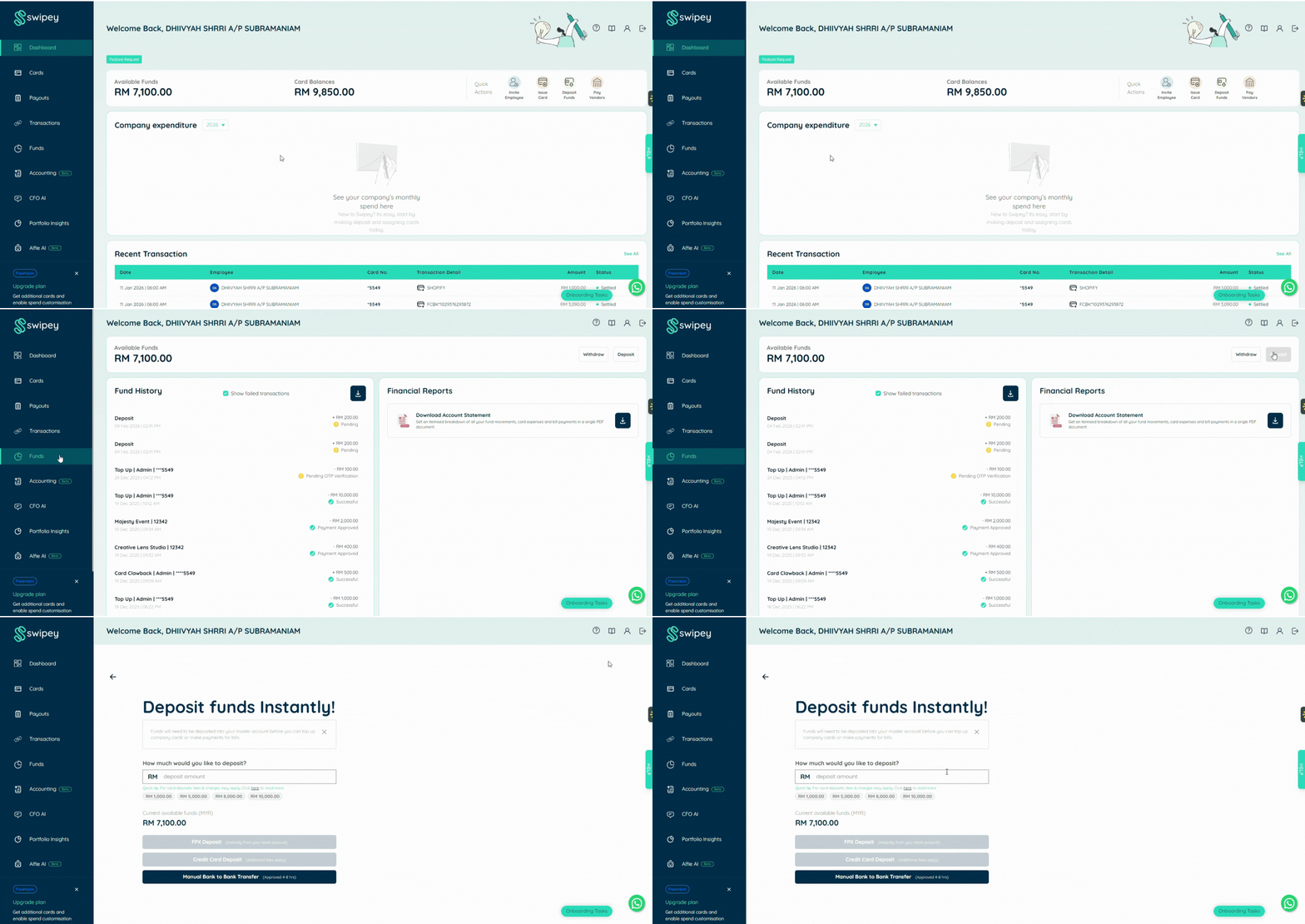
Pick how you want to add money:
| Method | Speed | Notes |
| FPX (Online Banking) | Instant ⚡ | Fastest — funds available right away. RM1.50 fee waived for Plus & Growth plans. |
| Credit Card | Instant ⚡ | Convenient, no bank portal needed. Small processing fee may apply. |
| Bank Transfer | A few hours | Use DuitNow for speed. Upload your receipt after transferring. |
Tip: Use FPX or Credit Card if you want to spend today.
Follow the on-screen steps to complete your deposit. It only takes a minute or two. 📖 Want the full breakdown? See the detailed funding guide →
Step 2: Send money to the card
Once your master account has a balance, go to Cards in the left menu. You’ll see a list of all issued cards, including:
- Your own cards
- Employee cards
- Card status and available balance
Use the search bar to quickly find the employee or card you want to fund.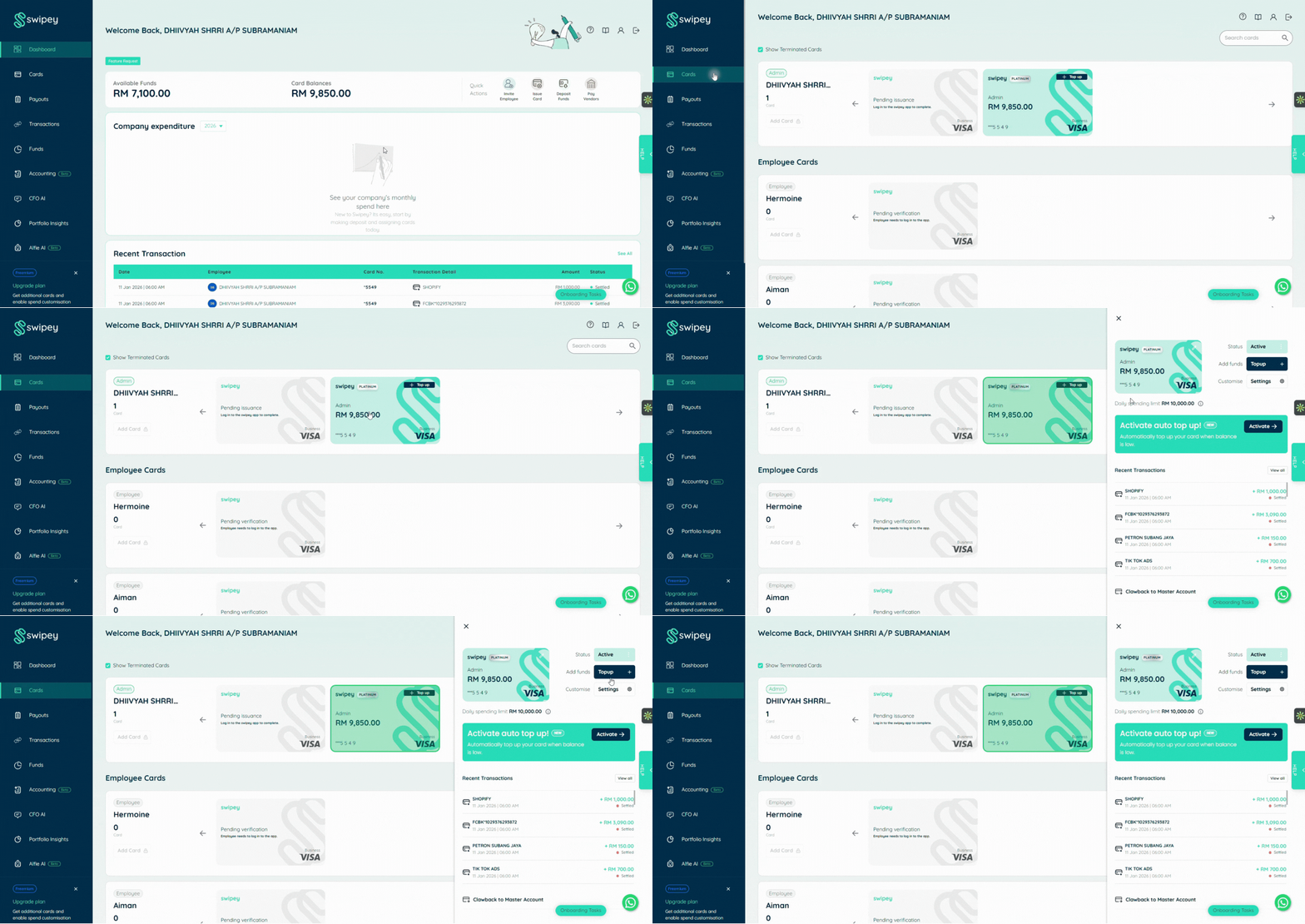
📖 Want the full breakdown? See the detailed top-up guide →
Step 3: You have full control
Click Top Up next to the selected card.
Enter the amount you want to transfer from your master account to the card. Click Continue to proceed.
💡 Things to know:
Maximum top-up per card: RM10,000
Per transaction spending limit: RM10,000
Ensure you’re topping up the correct card before confirming
For security, you’ll receive a One-Time Password (OTP). Enter the OTP code to confirm the transfer. Once completed, you’ll receive an email notification when the top-up is successful.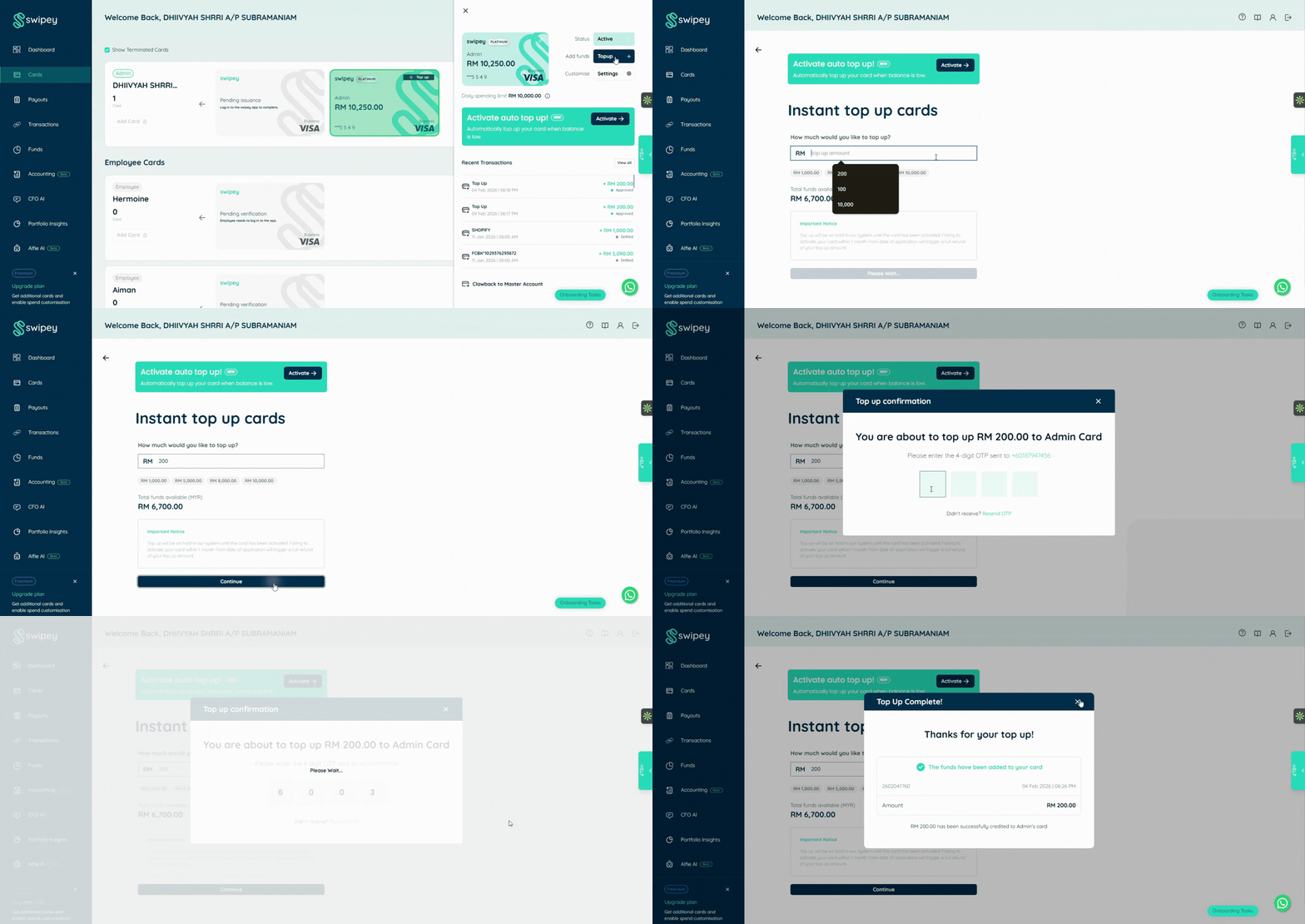
That's it — your card is ready to use. Once funds are on the card, your employee can start spending immediately. You can watch every transaction in real time from your dashboard.
Need Help Making Your First Transaction?
If you're having trouble, reach out to us!
💬 Chat with us on WhatsApp
📞 Book a 30 min session and we'll walk you through the process