
Once your master account is funded, you can distribute money to individual employee cards. This allows your team to start spending within the limits you control. Each card has its own balance, separate from your master account. Topping up ensures employees can use their cards for approved business expenses.
Top Up a Card in 2 Simple Steps
Watch the short video below or follow the step-by-step guide:
Step 1: Go to Cards
👉 Log in to your admin dashboard. From the left menu, click Cards.
You’ll see a list of all issued cards, including:
Your own cards
Employee cards
Card status and available balance
Use the search bar to quickly find the employee or card you want to fund.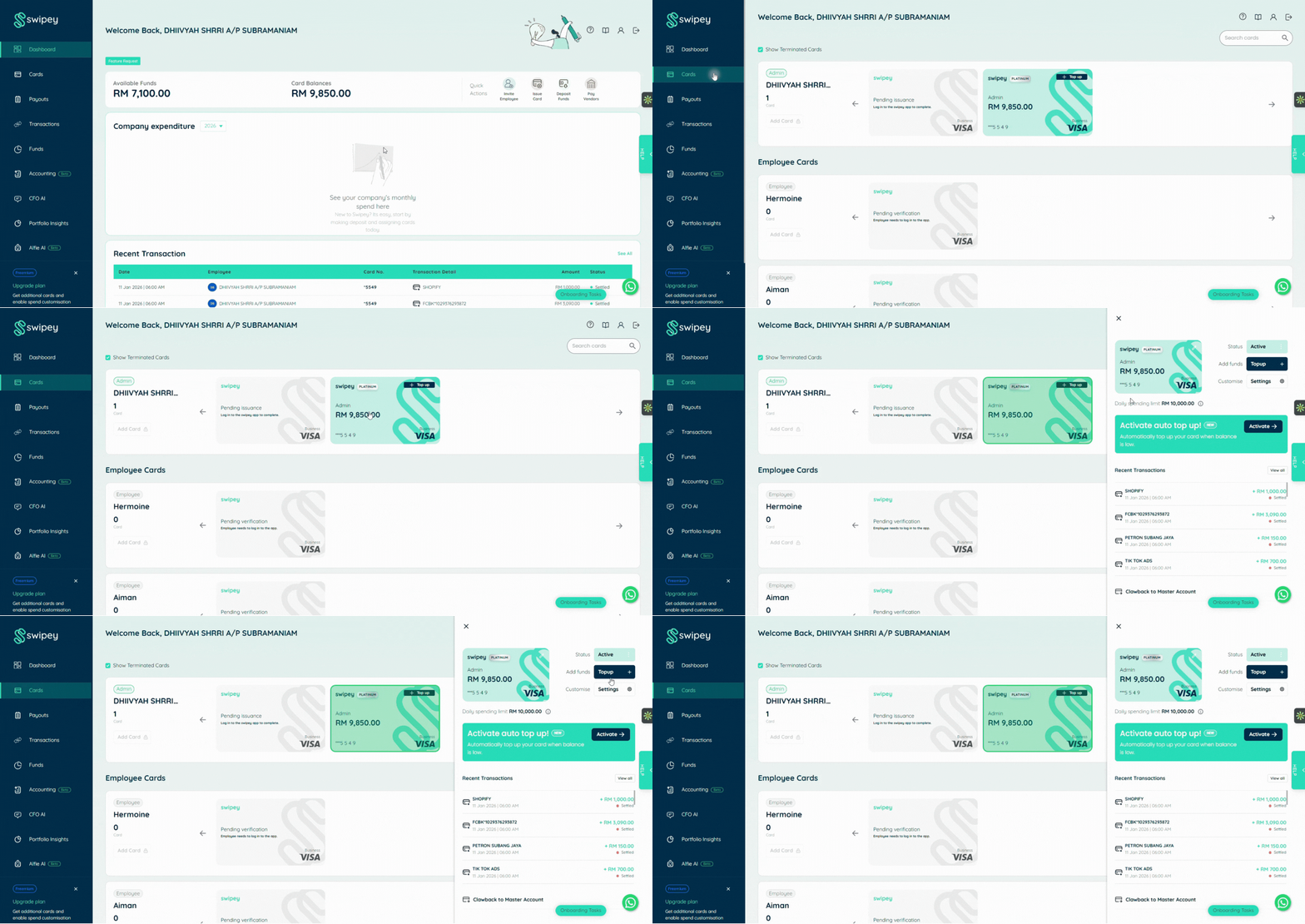
Step 2: Enter Top-Up Amount
Click Top Up next to the selected card.
Enter the amount you want to transfer from your master account to the card. Click Continue to proceed.
💡 Things to know:
Maximum top-up per card: RM10,000
Per transaction spending limit: RM10,000
Ensure you’re topping up the correct card before confirming
For security, you’ll receive a One-Time Password (OTP). Enter the OTP code to confirm the transfer. Once completed, you’ll receive an email notification when the top-up is successful.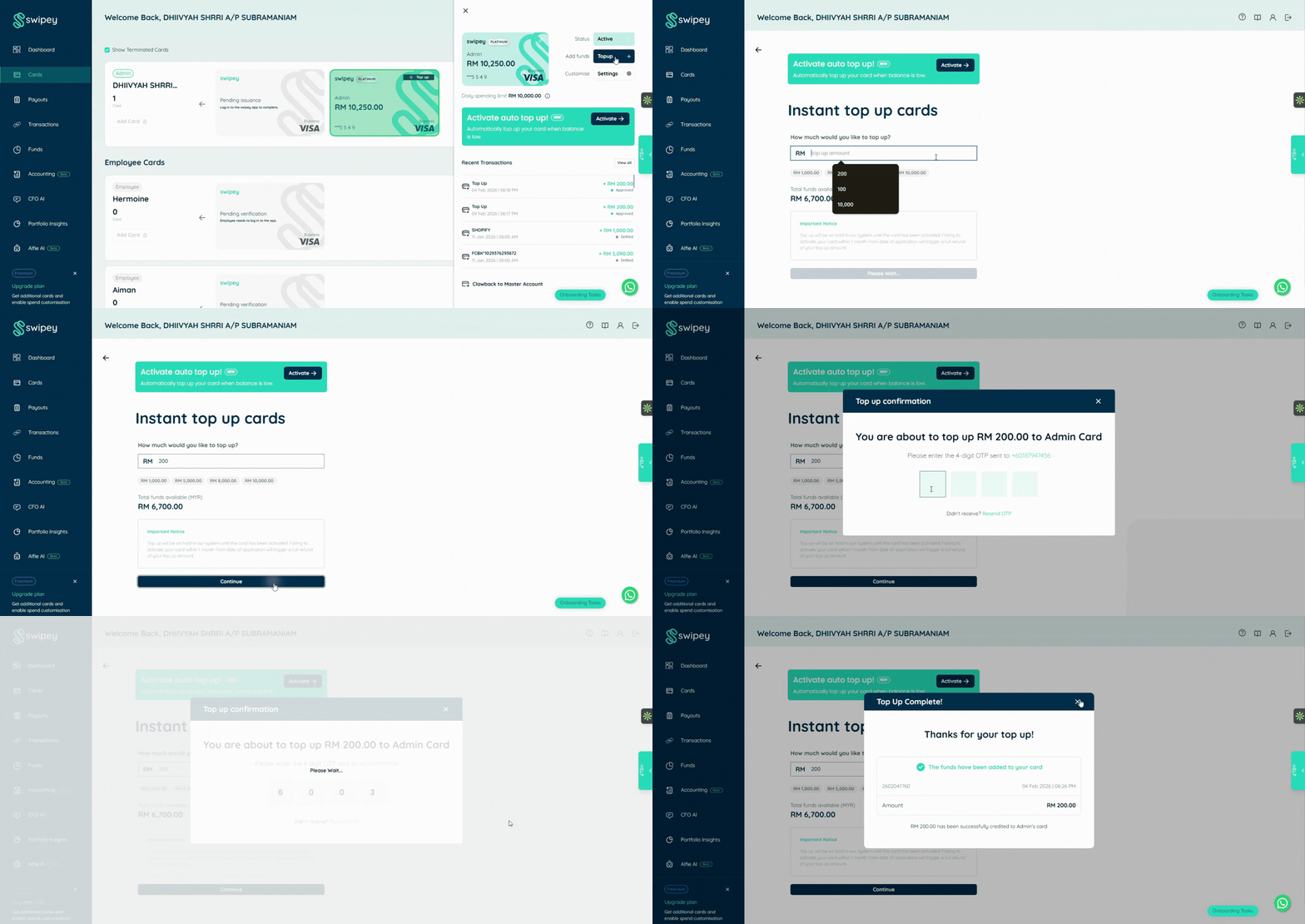
What Happens Next?
Funds will appear on the card within 1–2 hours during standard business days.
Once funds are available:
Employees can start using the card immediately
Transactions will follow the spending limits you set
You can monitor all activity in real time from your dashboard
Need Help Topping Up Cards?
If funds aren’t appearing or you’re unsure about limits:
💬 Chat with us on WhatsApp
📞 Book a 15 min call and we’ll guide you through it
Common Questions
Why can’t I top up a card?
Possible reasons:
Insufficient balance in your master account
Card is frozen or inactive
OTP verification not completed
Check these first, if issue stil persists contact us through Whatsapp.
Can I reverse a top-up?
Once funds are transferred to a card, you may clawback the money to your master account. Click on the specific card and at the bottom you may find this option.
Can employees top up their own cards?
No. Only Admins can transfer funds to cards. This keeps spending under your control.