
Understanding Deposit Methods
Choose the method that works best for your workflow:
Method 1: Instant Deposit via FPXThe fastest way to fund your account.
| Method 2: Manual Bank To Bank TransferTraditional bank transfer with manual verification.
| Method 3: Credit Card DepositFund your account using a credit card.
|
Tip: Use FPX Deposit and Credit Card Deposit for instant funding. You'll be able to spend right away.
Fund Your Account in 2 Simple Steps
Watch the short video below or follow the step-by-step guide:
Step 1: Navigate to Deposit
👉 Log in to your admin dashboard. From the left menu, click Funds. At your available funds, click on the Deposit button.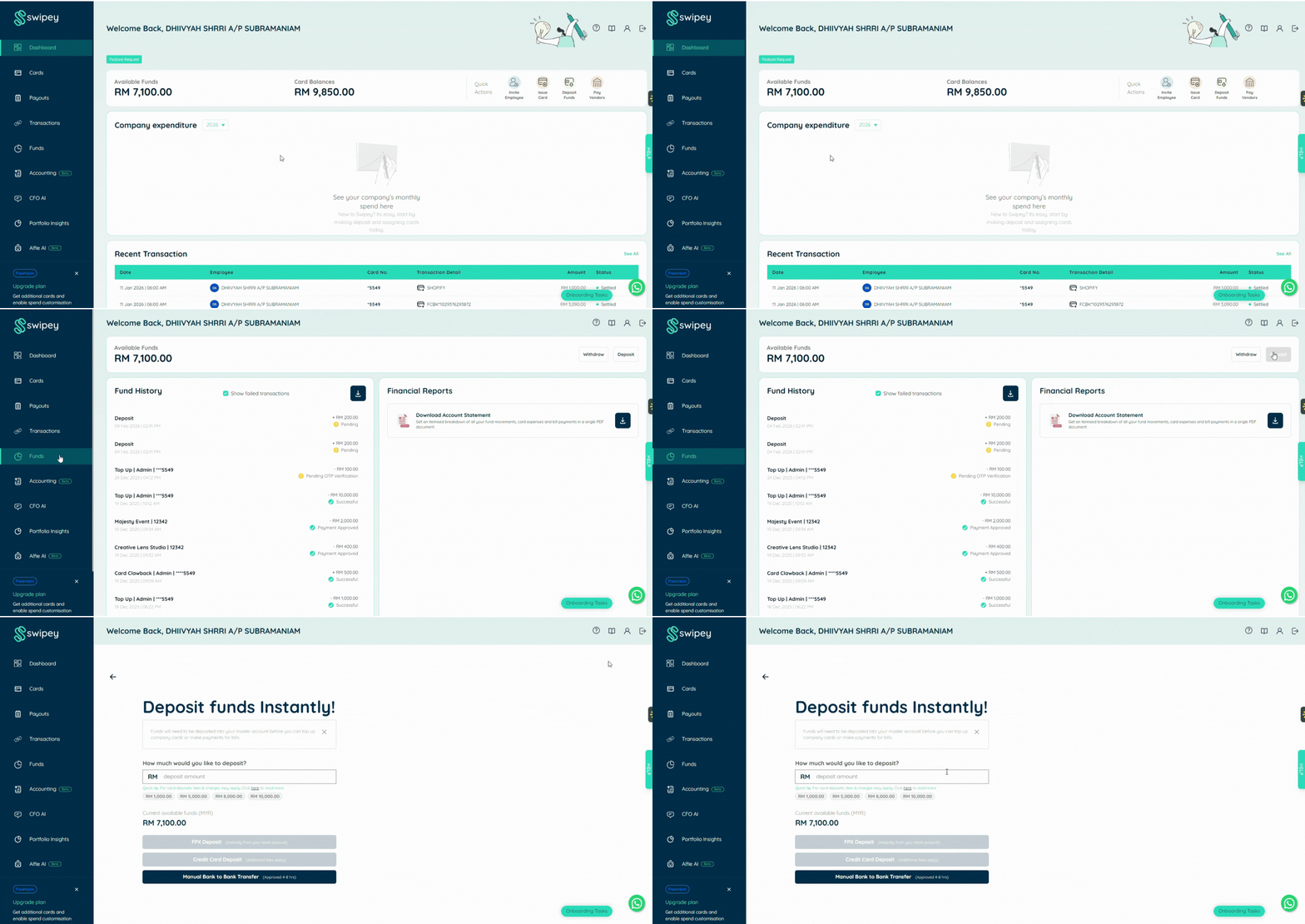
Step 2: Complete FPX Deposit
Enter the desired amount to deposit. Select your preferred deposit method.
Method 1: Instant Deposit via FPX
Select your company bank from the drop-down list.
💡 Hint: Most businesses use the B2B (Business-to-Business) banking option.
You'll be redirected to your bank's portal. Enter your bank credentials and approve the transaction.
💡 Hint: If your company bank has a Maker/Checker approval process, your checker will need to approve the transaction on your bank portal before funds are released.
That's it! Your funds will appear in your master account instantly.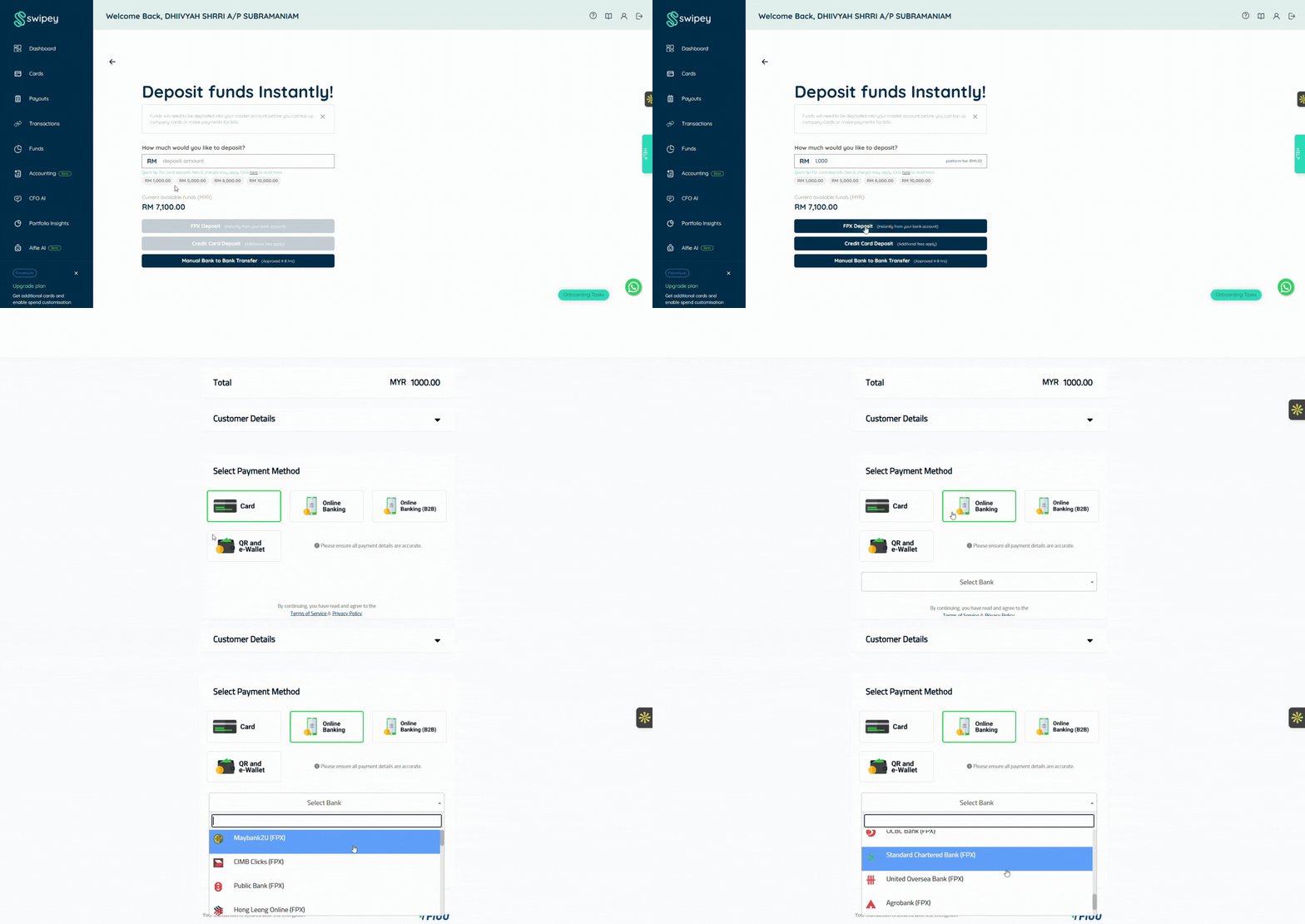
Method 2: Manual Bank To Bank Transfer
Click the green box to proceed with manual deposit. Enter the deposit amount. You'll see Swipey's bank details on the next screen. Complete the bank transfer from your business bank account using the details provided.
💡 Important: Use Instant Transfer or DuitNow to avoid delays. Regular GIRO transfers may take 1-2 business days.
Once the transfer is completed, upload your proof of payment (screenshot or receipt). Click Submit.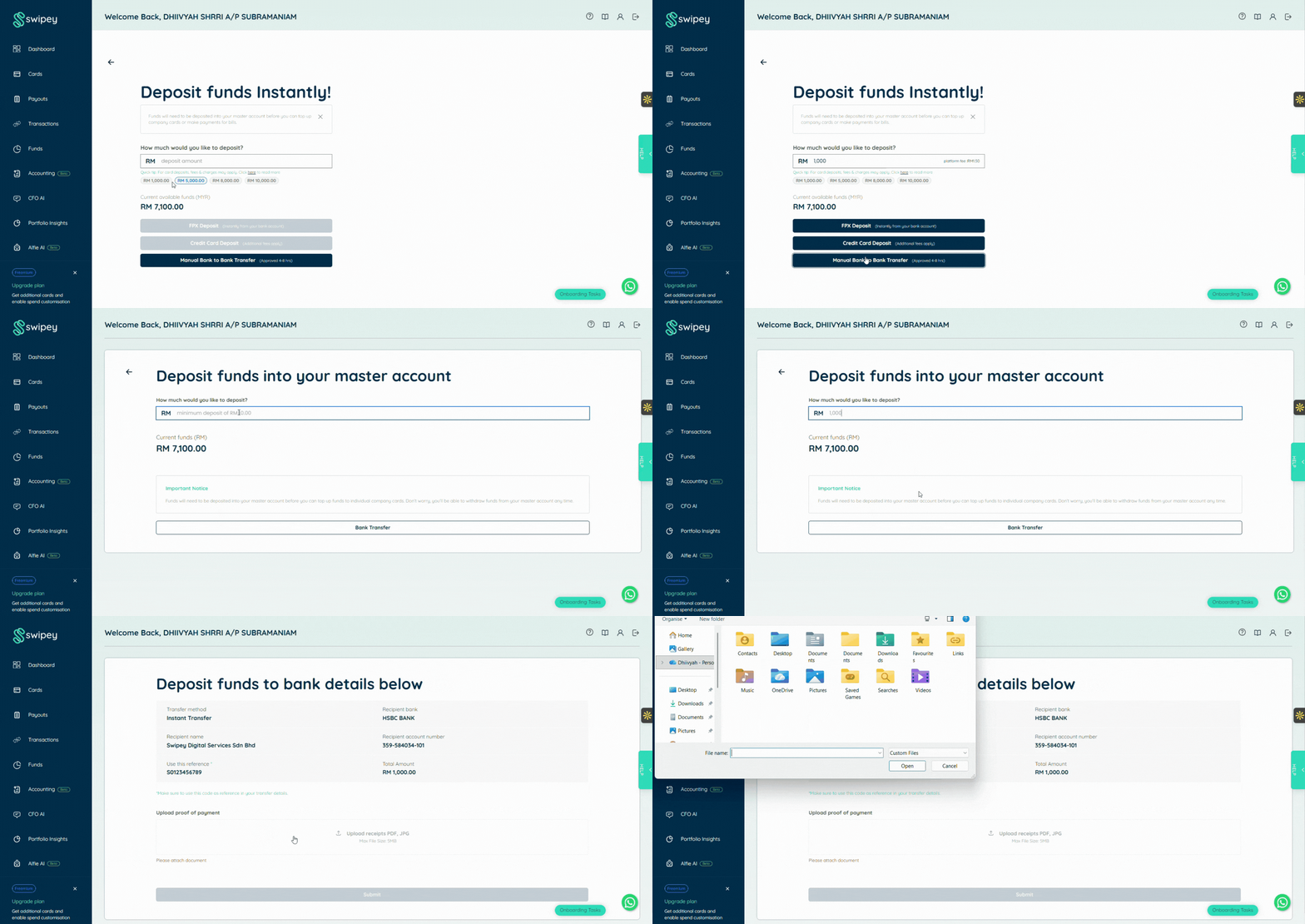
Method 3: Credit Card Deposit
Enter the desired amount to deposit. Select Credit Card as your payment method. Enter your credit card details (Card number, Expiry date, CVV). Click Submit to process the payment.
That's it! Your funds will appear in your master account instantly.
💡 Note: A small processing fee may apply for credit card transactions. Check your plan details for fee information.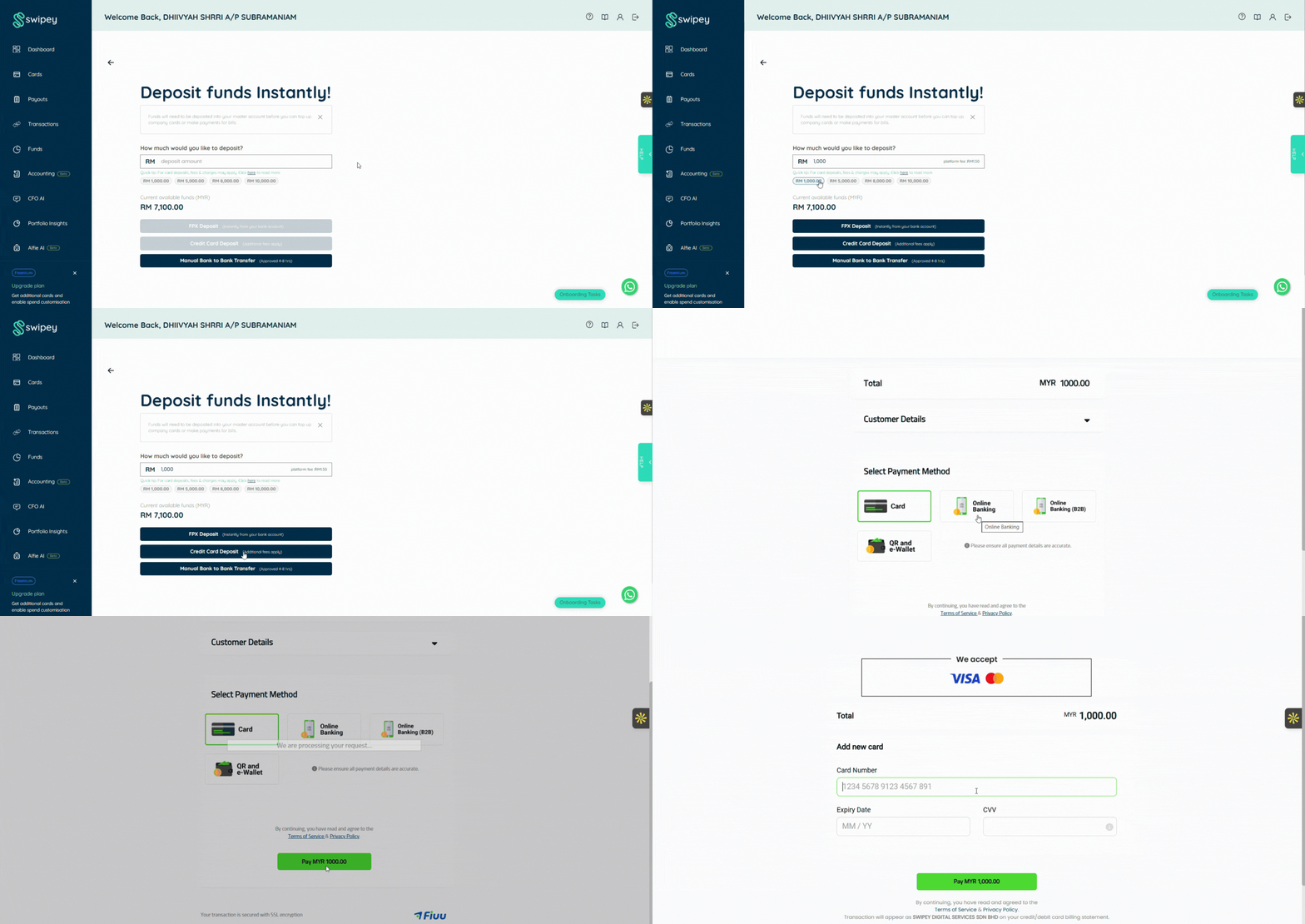
What Happens Next?
For FPX deposits and Credit card deposits (Instant)
Your funds appear in your master account immediately. You can start topping up employee cards right away.
For direct bank transfers (Manual verification)
- You'll receive an email notification once your deposit has been verified and credited to your master account
- Processing time depends on the transfer method used (see approval timing guide)
- Once funds are reflected, you can proceed to top up employee cards
Need Help Depositing Funds?
If you're having trouble with FPX or need help choosing the right deposit method:
💬 Chat with us on WhatsApp
📞 Book a 30 min session and we'll walk you through the process
Common Questions
Which banks support FPX?
Most major Malaysian banks support FPX for business accounts, including:
- Maybank
- CIMB
- Public Bank
- RHB Bank
- Hong Leong Bank
- And many more
View full list of supported banks when you attempt to make a deposit.
Is there a fee for FPX deposits?
The RM1.50 platform fee is waived for Plus and Growth plan users.
Free plan users will see a small platform fee applied.
How long does direct bank transfer take?
Processing time depends on your transfer method:
- DuitNow/Instant Transfer: Usually within a few hours during business hours
- Regular GIRO: 1-2 business days
What if my FPX deposit fails?
Common reasons:
- Insufficient funds in your business bank account
- Maker/Checker approval pending (check with your finance team)
- Bank connection timeout (try again)
If the issue persists, contact us via WhatsApp and we'll help troubleshoot.
Can I top up employee cards before depositing to master account?
No. You must deposit funds into your master account first. Once funds are available, you can distribute them to employee cards.
What's the minimum deposit amount?
For FPX deposits, the minimum deposit amount is RM50. For manual bank to bank transfers, we recommend depositing at least RM100 to cover any processing fees from your bank.
My bank has Maker/Checker approval. What do I do?
After you (the Maker) initiate the FPX transaction, your designated Checker will need to:
- Log in to your company's bank portal
- Review and approve the pending transaction
Once approved, funds will be released to your Swipey account instantly.